subZwallet App Settings: Billing, Dunning and Integrations
The Settings page controls how subZwallet bills, retries, notifies and connects to other tools: dunning and out-of-stock handling, the billing hour, pause/resume rules, inventory locations, subscription numbers on orders, staff roles, Klaviyo and Gorgias, migration and your data. Defaults work out of the box; this reference explains each area.
How to access Settings
Open the subZwallet app from your Shopify admin and click Settings in the left sidebar. Emails, Toasts and Upsell have their own items in the sidebar under Engage.
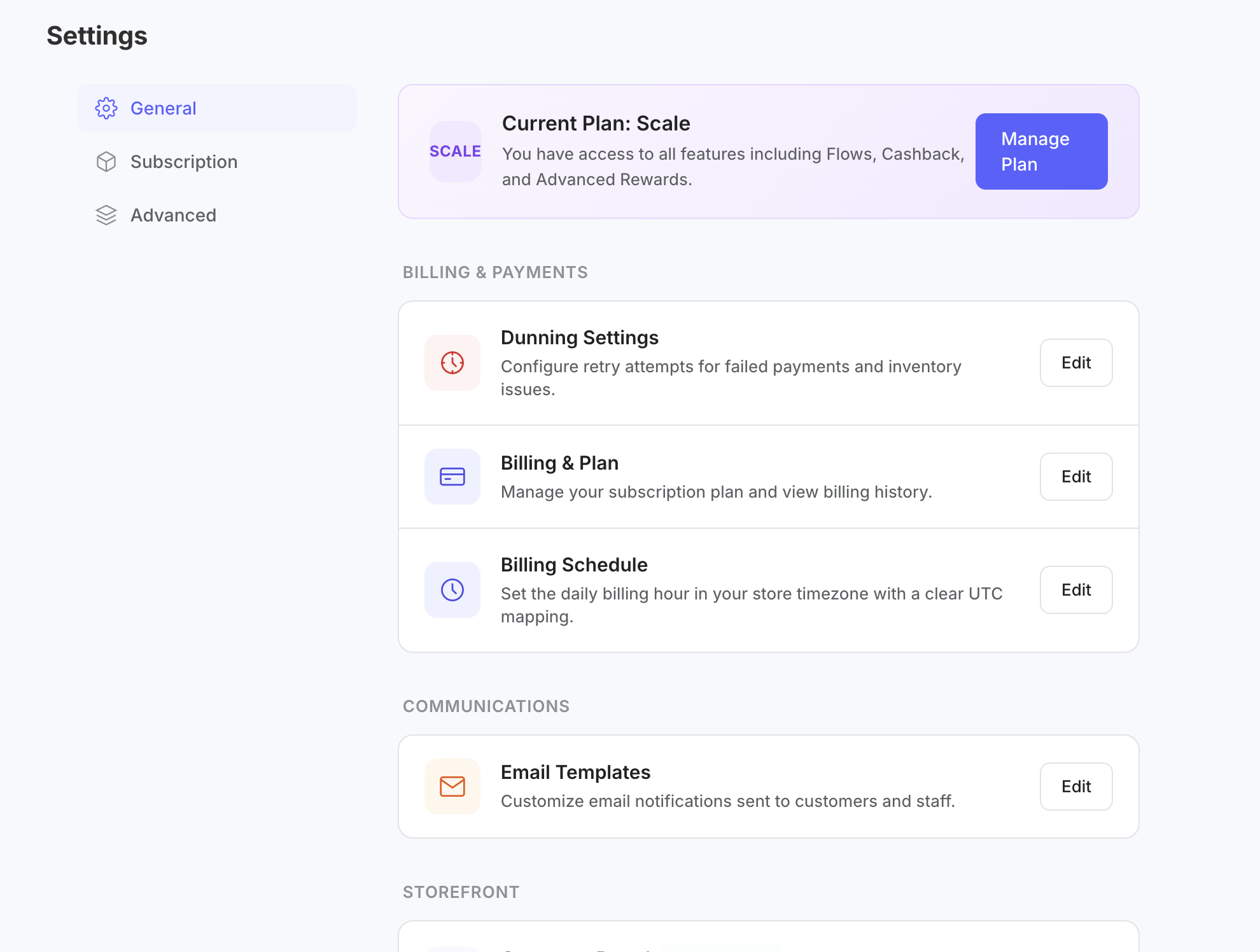
Settings overview
Dunning and out-of-stock handling
Dunning controls what happens when a subscription payment fails: how many times to retry (0-10), how many days apart (1-14), and the final action after the last retry (skip, pause or cancel). The app recommends 3-5 retries, 2-3 days apart, then pause. Out-of-stock renewals have their own settings: the order is kept as owed and retried, and staff are notified immediately, weekly or monthly. A backup payment method is coming soon. For a full walkthrough, see How to Set Up Dunning (/help/how-to-set-up-dunning).
Billing & Plan
This panel shows your current subZwallet plan and lets you upgrade or downgrade. For a comparison of plan features and limits, see Plans and Pricing (/help/plans-and-pricing).
Billing hour, pause/resume rules and inventory
Set the hour of the day when subscription orders are billed, the rules for pausing and resuming, and whether stock is checked across all locations or only the locations you choose. Every subscription order is tagged with its subscription number so your team can find it in Shopify orders.
Staff roles
Under Users, give each team member a role that controls what they can see and change. Staff roles are included on every plan.
Integrations
Klaviyo receives 21 subscription and rewards events whose fields mirror Loop's, so Loop-based flows can be rebuilt. Use the test-event picker to send a sample event. When Klaviyo is connected, Klaviyo sends the customer emails instead of the app. Gorgias rules create support tickets on 7 lifecycle events such as payment failed, out of stock and cancellation, with filters. Both integrations are included on every plan. API access and webhooks are coming soon on Scale.
Coming soon
Subscription shipping-rate recalculation, a backup payment method, and API access and webhooks (Scale) are coming soon.
Subscription payment gateway requirements
Shopify requires a compatible payment gateway for subscription checkout; Shopify Payments is the simplest option. Saved cards live in Shopify. Confirm your gateway is compatible before going live (https://help.shopify.com/en/manual/products/purchase-options/subscriptions/considerations).
Recommended configuration sequence
- Verify your payment gateway under Shopify Settings > Payments.
- Open Settings > Billing & Plan and confirm your plan fits your expected subscriber count.
- Configure dunning and out-of-stock handling.
- Set the billing hour, pause/resume rules and inventory locations.
- Add your team under Users with the right roles.
- Edit your email templates (Emails in the sidebar) or connect Klaviyo, and connect Gorgias if your support team uses it.
Next steps
To build your dunning recovery strategy, see How to Set Up Dunning (/help/how-to-set-up-dunning). To customize the emails your subscribers receive, see Email Templates (/help/email-templates). To understand plan limits and upgrade options, see Plans and Pricing (/help/plans-and-pricing). If you are just getting started, the Getting Started guide (/help/getting-started) walks through initial setup end to end.