Cashback wallet: automatic store credit for Shopify subscriptions
Subscription merchants lose 20-40% of their base to voluntary churn every year. The ones who keep subscribers around longer share a pattern: they give customers a financial reason to stay beyond the product itself. A cashback wallet does this by depositing store credit into the customer's account after every subscription order — money that only works in your store.
The subZwallet Cashback Wallet adds store credit to the customer after each subscription billing, so every order gives them a reason to place the next one. This guide walks through how to set it up on Shopify, configure earning rules, apply tier multipliers, and track redemption. Available on Growth plans and higher.
Cashback vs discounts vs points: which to use
Before configuring rules, decide which reward mechanism fits your retention model. Each one optimizes for a different outcome:
Many subscription brands run cashback and points together. Cashback handles the baseline retention incentive (every subscriber earns automatically), while points give customers a goal to work toward (with redemption codes and a birthday reward). If you only pick one, cashback is the simpler path for subscriptions.
How the cashback wallet works on Shopify
subZwallet uses Shopify's native store credit system. When a qualifying order completes, the app calls the storeCreditAccountCredit mutation (https://shopify.dev/docs/api/admin-graphql/latest/mutations/storecreditaccountcredit) to add funds to the customer's account. If the customer doesn't have a store credit account yet, Shopify creates one automatically. Balances are currency-specific and capped at $15,000 per customer (https://help.shopify.com/en/manual/customers/store-credit).
The earning and redemption flow:
- Customer places a subscription order (or one-time order, depending on your rule trigger).
- Order is confirmed and payment captured.
- subZwallet evaluates all active cashback rules against the order. The first matching rule with available usage capacity fires.
- The calculated credit amount (percentage of order total or fixed amount, subject to max cap) is deposited into the customer's Shopify store credit account.
- On the customer's next checkout, Shopify automatically shows the available store credit balance. The customer can apply it with one click.
No coupon codes, no manual claims, no gift card workarounds. The credit sits in the customer's account and reduces their next order total automatically.
Example cashback rates by vertical
There is no universal "right" cashback rate. It depends on your margins, average order value, and subscription frequency. Here are starting points based on what subscription brands in each vertical typically run:
Start at the lower end and increase after you measure redemption rates. A rule that costs too much can be paused instantly — cashback already earned stays in the customer's account, but no new credits accrue.
Setting up cashback rules
In the subZwallet sidebar, open Cashback Wallet. The main screen shows your active rules and a transactions table.
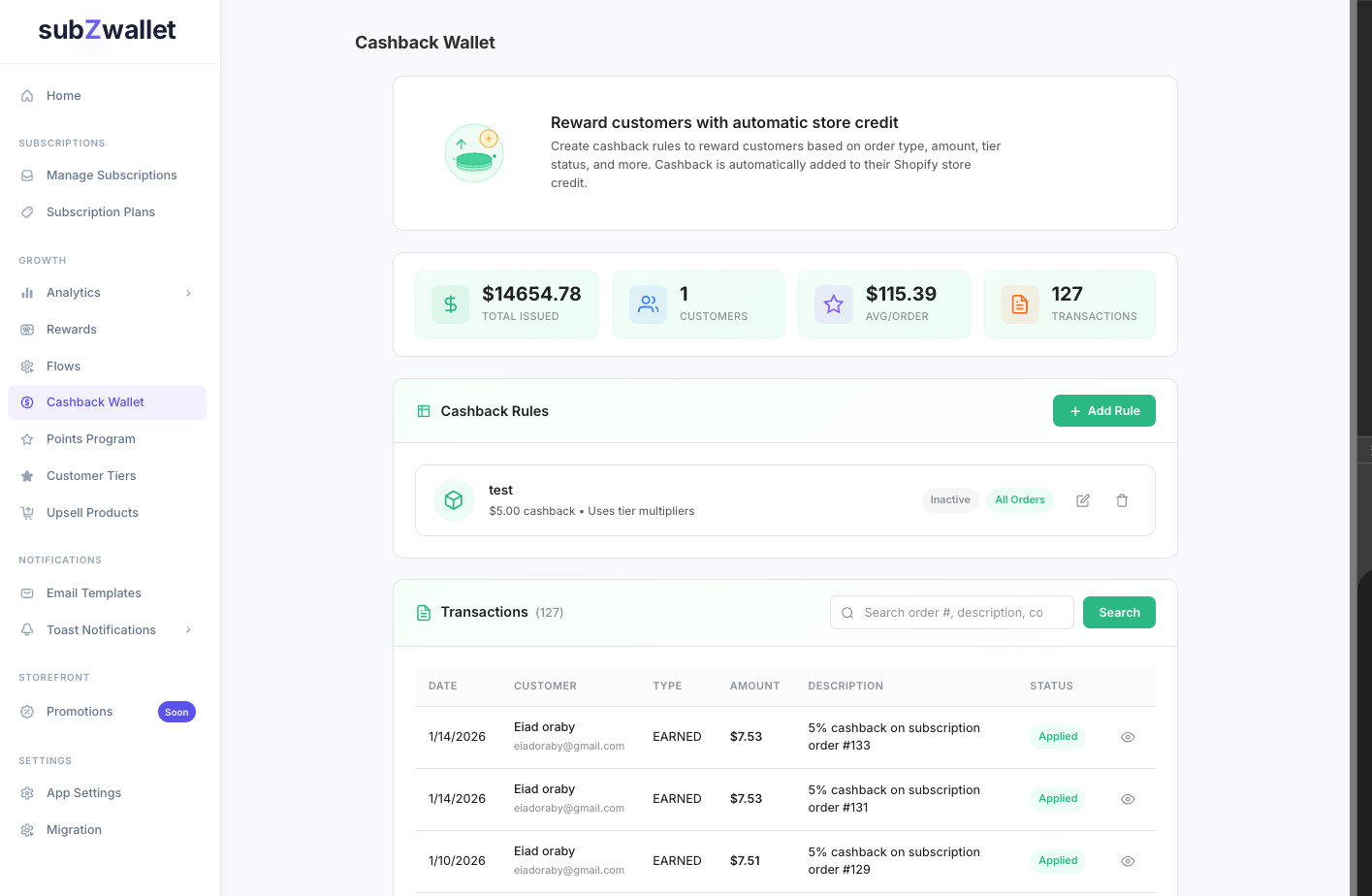
Each rule has these parameters:
Tier multipliers: rewarding your best customers more
If you use Customer Tiers (/help/customer-tiers), you can attach multipliers to any cashback rule. This lets you run one rule with escalating rewards instead of maintaining separate rules per segment.
Example tier multiplier setup for a supplement brand running 5% base cashback on subscription orders:
The escalating rate gives long-tenure subscribers a tangible reason to stay. A Platinum customer earning $7.50 per month accumulates $90/year in store credit — that is real switching cost. Configure multipliers in your tier settings, and they apply automatically to every cashback rule that has tier conditions enabled.
Step-by-step: create your first cashback rule
- Open Cashback Wallet in the subZwallet sidebar and click **Add Rule**.
- Select a trigger — **Subscription**, **One-Time**, or **All Orders** — then choose **Percentage** or **Fixed Amount**.
- Enter the cashback value, set a minimum order threshold, and add a maximum cap to control payout exposure.
- Attach conditions (product, collection, customer tag, or tier) and configure tier multipliers if you use Customer Tiers.
- Set per-customer and global usage limits, choose optional start and end dates, then save the rule.
- Verify the rule by placing a test subscription order and confirming the credit appears in the **Transactions** tab.
Tracking earnings and redemptions
The Transactions tab shows every cashback event: earned credits, redemptions at checkout, and manual adjustments. Search by customer, date range, or rule. Use this to monitor your effective cashback rate (total credits issued / total qualifying order revenue) and redemption rate (credits redeemed / credits issued).
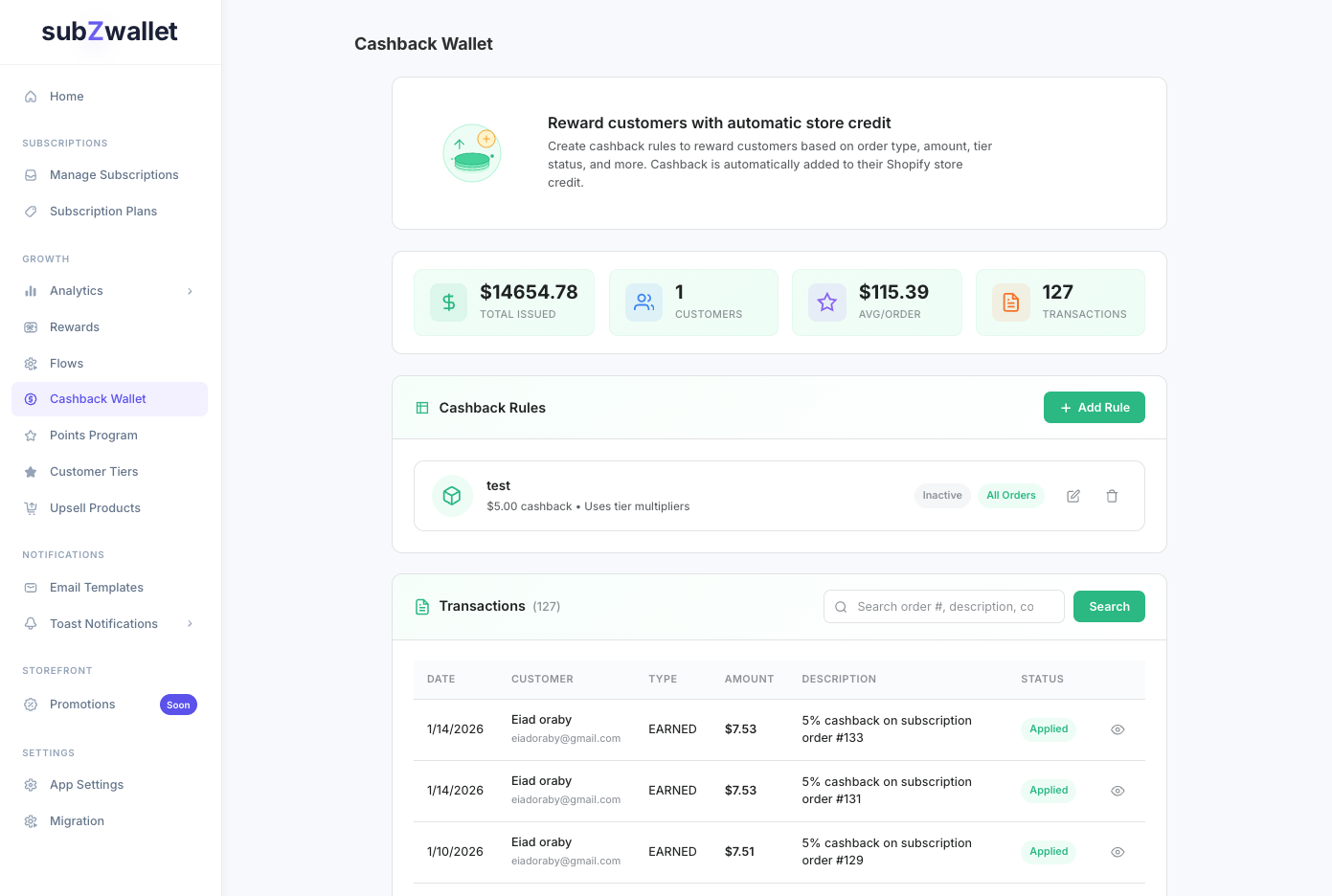
A healthy cashback program has a redemption rate between 60-80%. Below 60% means customers are not aware of their balance — add balance reminders via Flows (/help/flows). Above 80% with thin margins means your rate may be too generous — lower the percentage or add a max cap.
Measuring cashback ROI
Review these metrics monthly. If repeat purchase lift is below 10%, your cashback rate is too low to change behavior — increase it or add tier multipliers. If cost exceeds margin, lower the rate or tighten conditions.
Frequently asked questions
Next steps
- If you want to escalate cashback by customer loyalty level, set up **Customer Tiers** first (/help/customer-tiers).
- To run cashback alongside an earn-and-burn program, see **Points Program** (/help/points-program).
- For a strategic comparison of when to use cashback vs points vs both, read **Loyalty Points and Cashback Best Practices** (/help/loyalty-points-cashback-best-practices).
- To send balance reminders and re-engagement emails when cashback goes unused, configure triggers in **Flows** (/help/flows).