Shopify subscription email templates: configuration and branding guide
subZwallet has 24 email templates for customers and staff, each with its own on/off switch. You edit them in a drag-and-drop block editor (text, images, products, buttons, upsell and a promotion block that gives each customer a unique discount code), apply your store branding, and can send from your own domain. Upcoming-order reminders let you choose how many days before the order and at what hour they go out. If Klaviyo is connected, Klaviyo sends the customer emails instead.
Subscription emails confirm actions the customer already took or warn them about the next order, so customers open them ([Shopify blog: ecommerce transaction emails](https://www.shopify.com/blog/ecommerce-transaction-emails)). That makes them a good place for branding, upsells and retention messaging. They are notification emails, not marketing campaigns: newsletters and campaigns belong in Klaviyo.
Customer-facing email templates
Customer templates cover the subscription lifecycle and rewards. Each can be switched on or off and supports merge variables (customer name, product title, order number, next billing date). Examples:
- **Upcoming-order reminder** -- sent a chosen number of days before the next order, at the hour you pick, so customers can skip or swap instead of cancelling.
- **New subscription created** -- confirms the subscription, lists products, frequency, and next charge date.
- **Subscription updated** -- notifies the customer when product, quantity, frequency, or address changes are saved.
- **Subscription cancelled** -- confirms cancellation with a clear effective date and any remaining deliveries.
- **Subscription paused** -- confirms the pause and tells the customer how to resume.
- **Subscription resumed** -- confirms reactivation and the next upcoming charge.
- **Delivery skipped** -- confirms a skipped cycle and shows the new next-delivery date.
- **Payment failure** -- alerts the customer immediately and provides a link to update payment details.
- **Payment failure retry** -- follows up on each retry attempt with status and urgency.
- **Reward applied** -- notifies the customer that a milestone reward (discount, free product, free shipping) has been applied to their next order.
- **Points earned** -- confirms loyalty points added to the customer's account balance.
- **Redemption unlocked** -- tells the customer a new redemption option is available.
- **Tier upgrade** -- congratulates the customer on reaching a new loyalty tier.
- **Points redeemed** -- confirms the points deduction and the benefit applied.
Merchant-facing email templates
Staff alerts keep your team informed without watching the dashboard. Examples:
- **Subscription cancelled (merchant)** -- alerts you when a customer cancels so you can trigger a win-back sequence or review the cancellation reason.
- **Payment failure (merchant)** -- flags failed charges so your team can monitor recovery or reach out manually for high-value subscribers.
- **Inventory failure (merchant)** -- warns you when a subscription charge cannot be fulfilled due to stock issues, giving you time to restock or contact the customer.
Where to find email templates
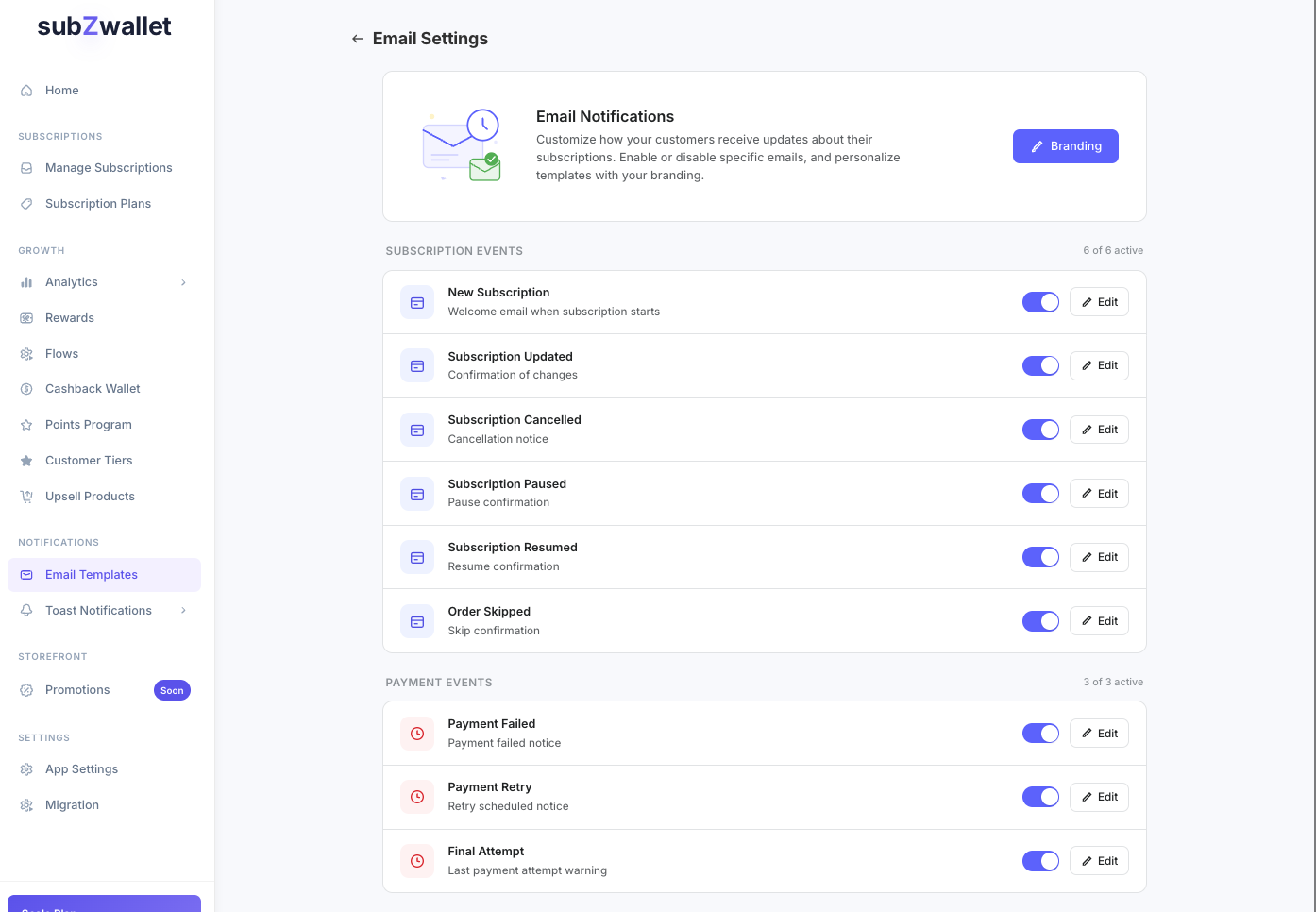
In the subZwallet sidebar, click Emails. The list shows all 24 templates with their status (on or off). Click any template to open the editor.
Step-by-step: edit and brand a template
- Go to **Emails** and click a template (e.g., New subscription, Payment failure).
- Toggle the **Enabled** switch. Disabled templates are never sent, regardless of other settings.
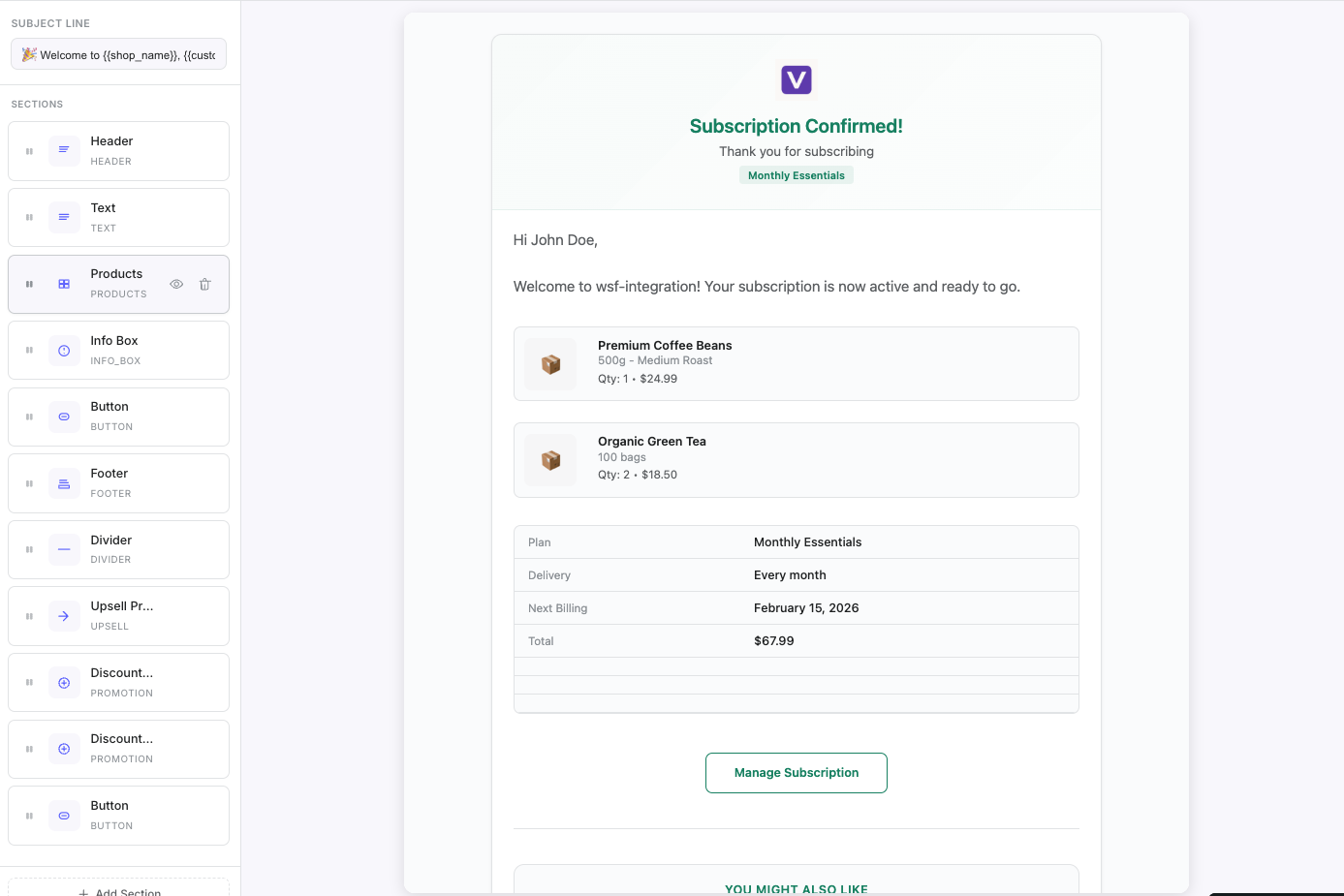
- Edit the **Subject line**. Use merge variables like {{customer_name}} and {{product_title}} so each email feels specific to the subscriber.
- Edit the content in the block editor: drag in text, images, products, buttons, an upsell block or a promotion block. Confirm what happened, state the next step, and include a link for any required customer action (update payment, manage subscription).
- Open **Branding** to set the sender name, logo and colors that match your storefront ([Shopify: customizing notification templates](https://help.shopify.com/en/manual/fulfillment/setup/notifications/customizing-notification-template)). To send from your own domain, complete the domain setup in the Emails section.
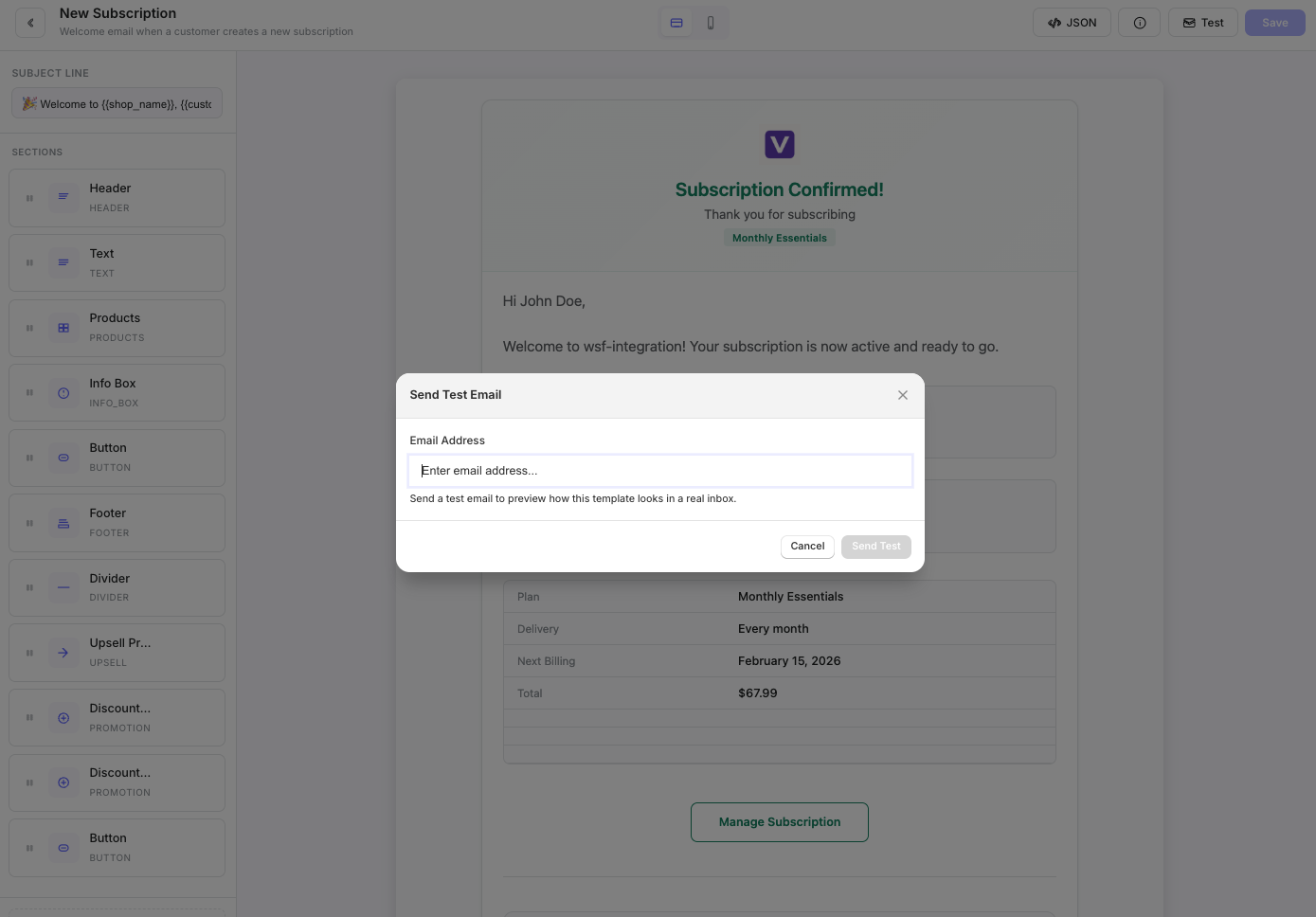
- Click **Save**, then use **Test send** to deliver a rendered preview to your inbox.
Branding configuration
Consistent branding across subscription emails builds trust and reduces support tickets from customers who do not recognize the sender. Configure these settings once and they apply across all enabled templates:
- **Sender name** -- the "From" name customers see in their inbox. Use your store name, not "noreply" or a generic app name.
- **Logo** -- upload your store logo. It renders at the top of every email template.
- **Accent color** -- choose a hex color that matches your storefront. Applied to buttons, links, and section dividers.
- **Footer content** -- customize the footer with your store address, support link, and unsubscribe/manage-subscription URL.
Upsell and promotion blocks: turning notifications into revenue
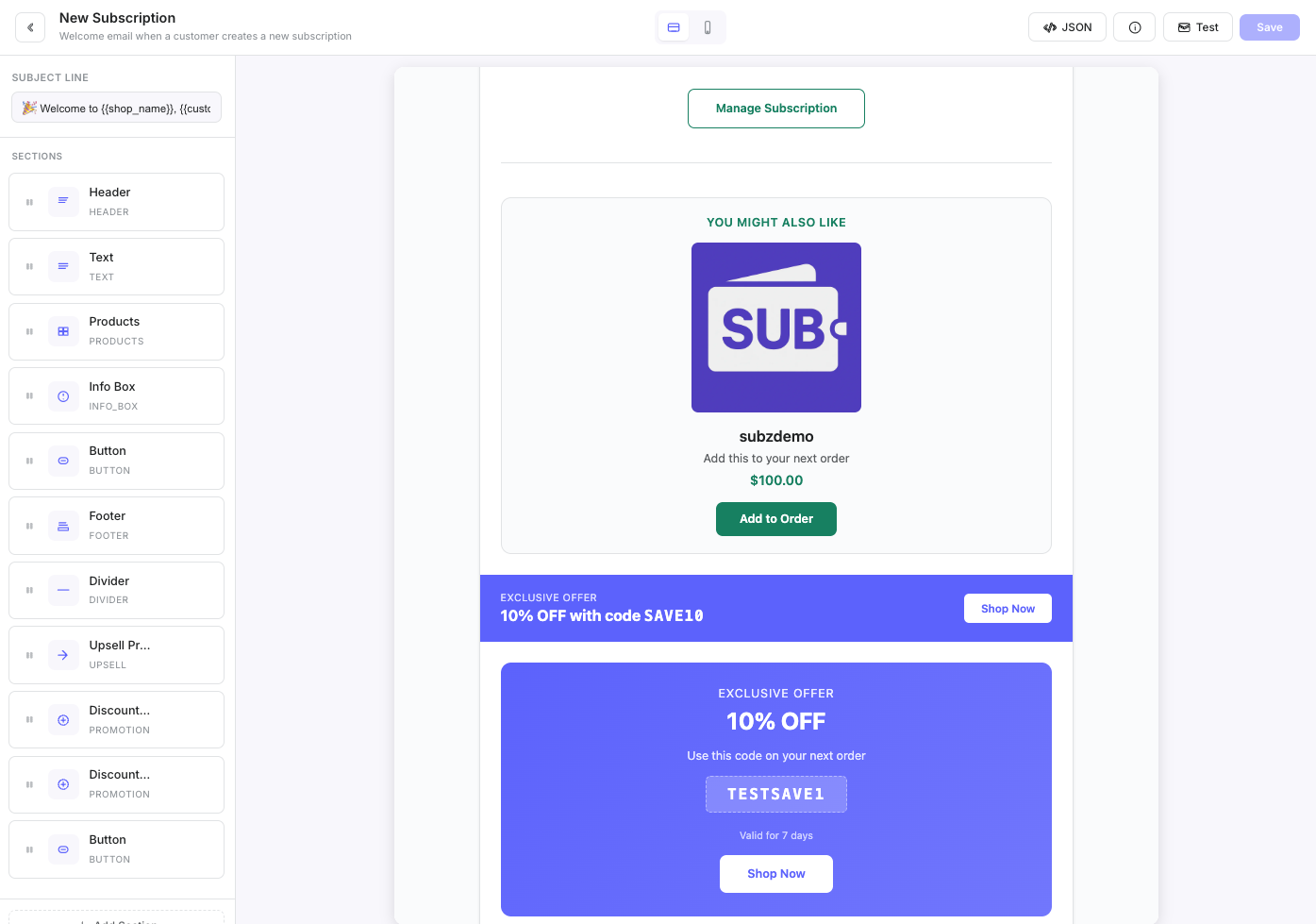
Any template can include an upsell block that shows products you choose, such as a complementary item or a seasonal product. Because customers open these emails to check on their subscription, the block reaches them without any ad spend.
The promotion block adds a discount to the email and gives each customer a unique discount code, so codes are not shared around. Add either block from the block editor, choose the products or discount, write a short call to action and save. For marketing campaigns and newsletters, use Klaviyo.
Advanced editing with the JSON editor
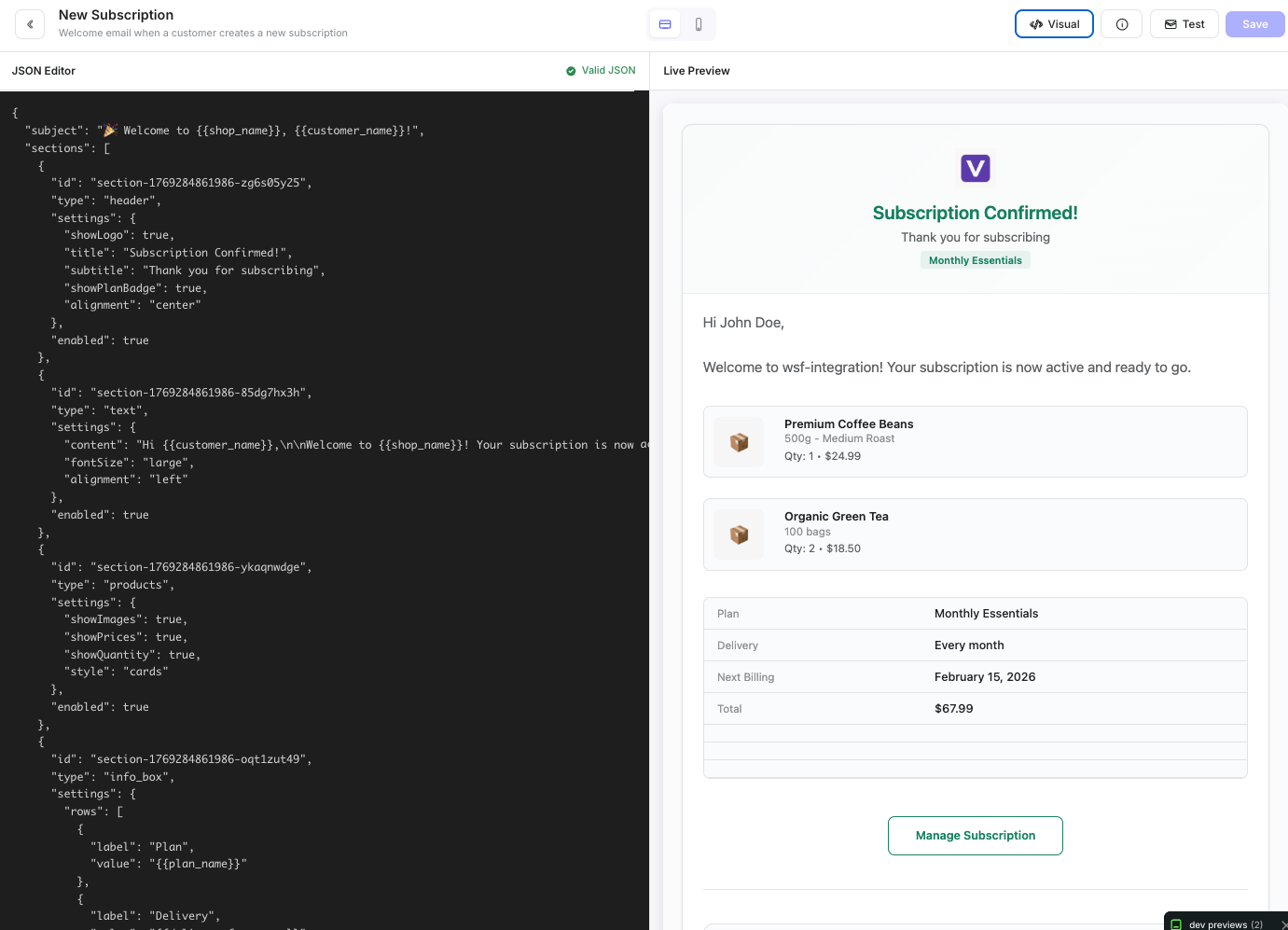
For merchants who need layout control beyond the visual editor, the JSON editor exposes the full template structure. You can add conditional blocks (show a section only when a reward is active), rearrange content sections, or inject custom CSS. Switch to JSON mode from the editor toolbar.
Test send before going live
Never enable a template without previewing it first. Click Test send in the editor toolbar, enter your email address in the modal, and subZwallet delivers a fully rendered version with sample data replacing all merge variables. Check subject line rendering, logo placement, button links, and mobile responsiveness before toggling the template to enabled.
Example email content: payment failure notification
A well-written payment failure email recovers revenue. Here is an example that balances urgency with clarity:
Subject: Your subscription payment did not go through -- update your card to avoid missing your next delivery Body: Hi {{customer_name}}, We tried to process your {{product_title}} subscription payment of {{charge_amount}} on {{charge_date}}, but the charge was declined. This usually happens when a card expires or the issuing bank flags the transaction. To keep your subscription active and avoid missing your next delivery: 1. Click the button below to update your payment method. 2. We will retry the charge automatically within 24 hours. [Update payment method] If you have questions, reply to this email or contact us at {{support_email}}. Thanks, {{store_name}}
This template works because it names the specific product, states the exact amount, explains why the failure likely happened, and gives a single clear action. Pair it with your dunning retry schedule for maximum recovery.
Example email content: new subscription confirmation
Subject: Welcome to your {{product_title}} subscription Body: Hi {{customer_name}}, Your subscription is confirmed. Here is what to expect: - Product: {{product_title}} ({{variant_title}}) - Frequency: Every {{delivery_interval}} - Next charge: {{next_charge_date}} - Price: {{subscription_price}} You can manage your subscription anytime from your account page -- skip a delivery, swap products, or update your payment method. [Manage my subscription] Thanks for subscribing, {{store_name}}
Operational best practices
- Enable payment failure and retry templates first -- they directly recover revenue. See [Dunning setup](/help/how-to-set-up-dunning) for the retry schedule these emails pair with.
- Turn on upcoming-order reminders 3-7 days before each charge so customers can skip or swap instead of cancelling after the charge.
- Keep subject lines under 50 characters and front-load the action or status (e.g., "Your delivery was skipped" not "An update about your subscription delivery schedule").
- Review and update templates quarterly. Product names, support URLs, and branding evolve -- stale templates erode trust.
- Use the upsell section selectively. High-frequency templates like payment failure should prioritize the recovery action over cross-sells.
Frequently asked questions
See the FAQ section above for answers to common questions about subscription email templates, opt-in requirements, upsell blocks, test sends, and advanced editing.
Related
For marketing emails and newsletters, use Klaviyo (subZwallet sends it subscription and rewards events). See App settings for global communication preferences, and the Dunning setup and Involuntary churn playbook for payment failure email strategy. See Rewards for configuring the milestone and points emails referenced in this guide.