Milestone Rewards for Shopify Subscriptions: Setup and Strategy
Subscribers who feel rewarded stay longer. The problem is that flat subscription discounts treat month-one buyers the same as year-long loyalists — there is no recognition for sticking around. Milestone rewards fix this by delivering a specific incentive when a subscriber hits a defined order number: 3rd, 5th, 10th, or any number you choose.
Shopify's native selling plan pricing is static — every renewal gets the same discount (https://shopify.dev/docs/apps/build/purchase-options/subscriptions/selling-plans). subZwallet adds a dynamic layer on top: milestone-based rewards that change over the subscription lifecycle. The reward fires once at the target order, then the subscription returns to its standard price. This creates anticipation without permanently eroding margin.
Where to find rewards in subZwallet
Open the app sidebar and click Rewards. The list view shows every active milestone reward, the order number it triggers on, the reward type, and whether it applies to all subscriptions or a scoped product/collection.
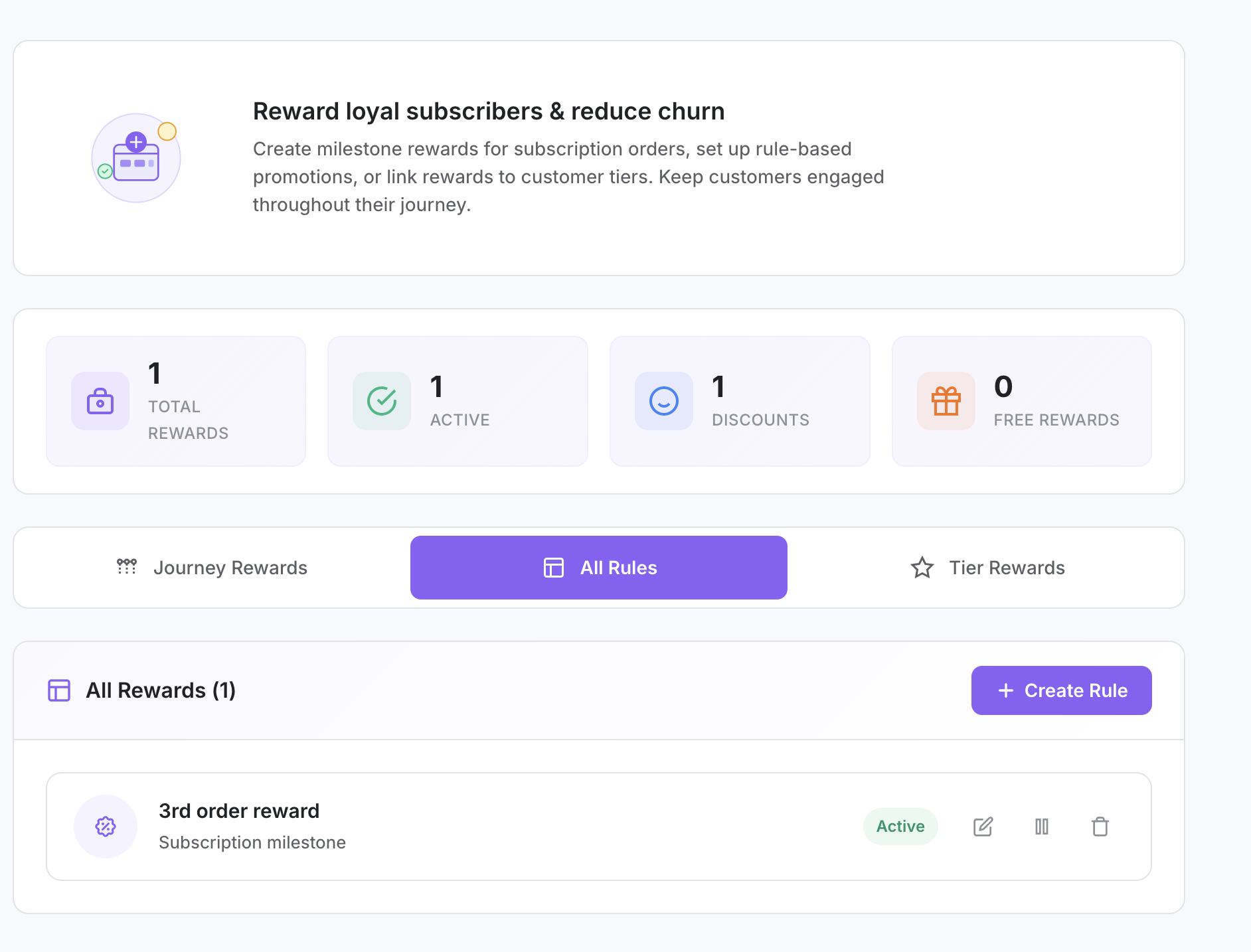
Reward type comparison
subZwallet supports four reward types. Each one suits different margin structures and subscriber expectations:
Percentage discount — Takes X% off the milestone order. Best when your product prices vary across SKUs (the discount scales proportionally). Typical range: 10-25%. Works well for brands with wide catalogs where a flat dollar amount would feel arbitrary on lower-priced items.
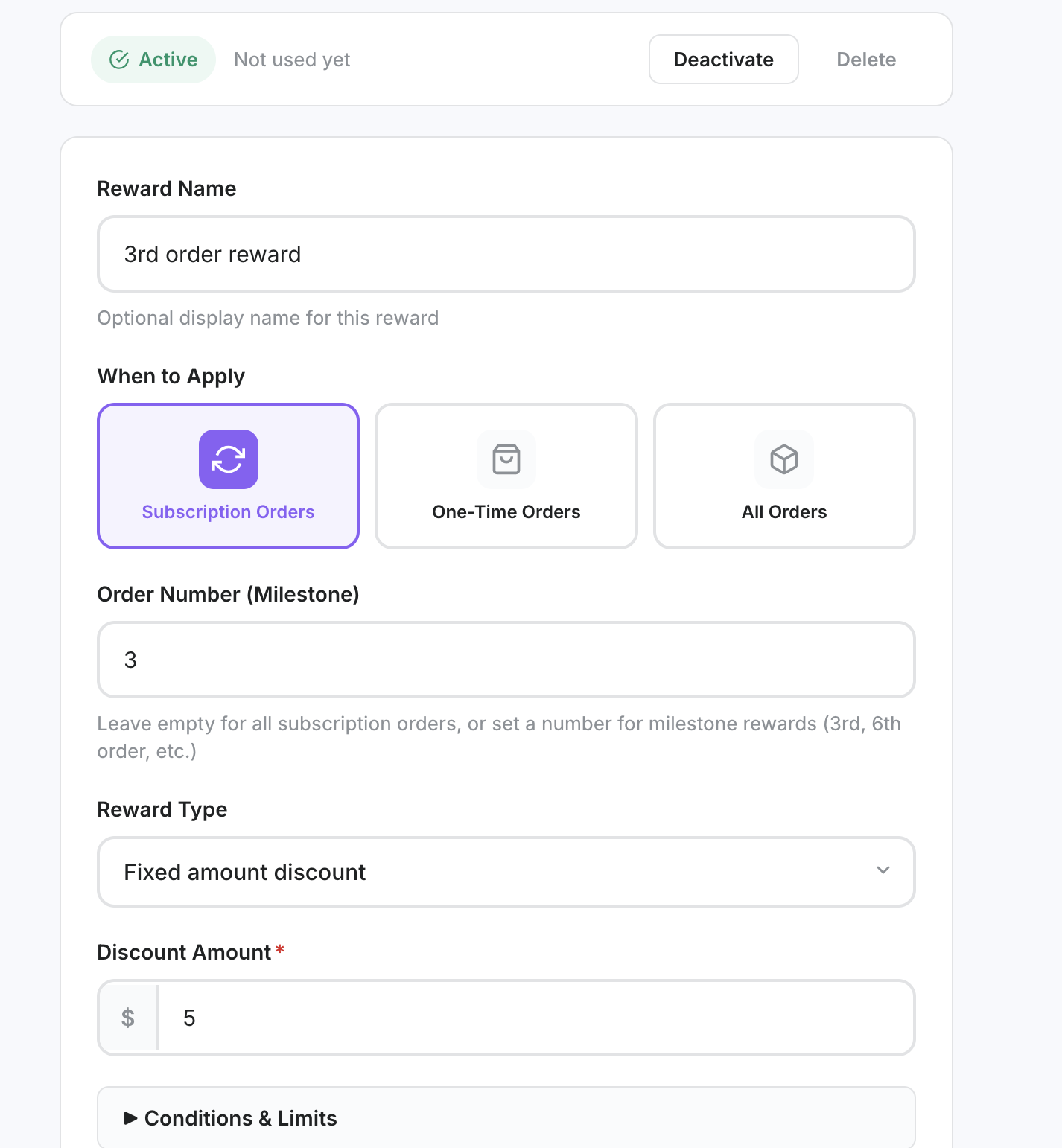
Fixed amount — Subtracts a flat dollar value from the milestone order. Best when you want precise margin control. A $10 reward costs exactly $10 regardless of order size. Useful for brands with a narrow price range where the dollar amount feels tangible.
Free shipping — Waives shipping on the milestone order. Shopify handles three automatic discount types: basic, buy-X-get-Y, and free shipping (https://shopify.dev/docs/apps/build/discounts). Free shipping rewards work best for brands whose subscribers normally pay shipping — if you already offer free shipping on subscriptions, this reward type has no perceived value.
Free product — Adds a specific product or variant (at a quantity you set) to the milestone order at no charge. Highest perceived value of all four types. Ideal for introducing new products, clearing inventory, or creating a "surprise and delight" moment. The cost is your COGS on that item.
When to use which reward type
Match the reward type to your business model, not to what sounds generous. The right reward protects margin while making the subscriber feel recognized:
- **High-AOV, variable cart sizes** (e.g. supplement stacks, multi-product boxes): Use percentage discounts. A 15% reward scales with the cart and feels proportional.
- **Tight margins, predictable order value** (e.g. single-SKU coffee subscriptions): Use fixed amounts. You control the exact cost per milestone.
- **Shipping is a meaningful cost to subscribers** (e.g. heavy or bulky products, international subscribers): Use free shipping. It removes a recurring pain point.
- **Product-led brands that launch frequently** (e.g. beauty, skincare with seasonal drops): Use free product. It doubles as a sampling strategy for new SKUs.
- **Not sure?** Start with a percentage discount at the 3rd order. It is the most universally effective type, easy to adjust, and subscribers intuitively understand it.
Example reward structures by vertical
These are starting-point configurations. Adjust based on your margins, subscriber count, and churn data.
Supplements brand (AOV $55, 30-day cycle, ~40% gross margin): Order 3 — 10% off ($5.50 cost). Order 6 — Free shipping ($6-8 cost). Order 10 — 20% off ($11 cost). Order 15 — Free product: trial-size new formula ($4 COGS). Total reward cost across 15 orders: ~$25. Lifetime revenue from 15 orders: $825. Reward-to-revenue ratio: 3%.
Coffee subscription (AOV $32, bi-weekly cycle, ~55% gross margin): Order 4 — $5 off. Order 8 — Free shipping. Order 12 — $8 off. Order 20 — Free product: 4oz sample bag of a single-origin roast ($3.50 COGS). This structure front-loads small wins to get past the 60-day churn risk window, then spaces rewards further apart as loyalty deepens.
Beauty/skincare brand (AOV $68, monthly cycle, ~65% gross margin): Order 3 — 15% off ($10.20 cost). Order 6 — Free product: deluxe sample of a new serum ($5 COGS). Order 10 — 20% off ($13.60 cost). Order 12 — Free product: full-size item from a complementary line ($12 COGS). Beauty brands benefit from free product rewards because trial drives cross-sell — subscribers who receive a free serum are likely to add it to future orders at full price.
Step-by-step: Create a milestone reward
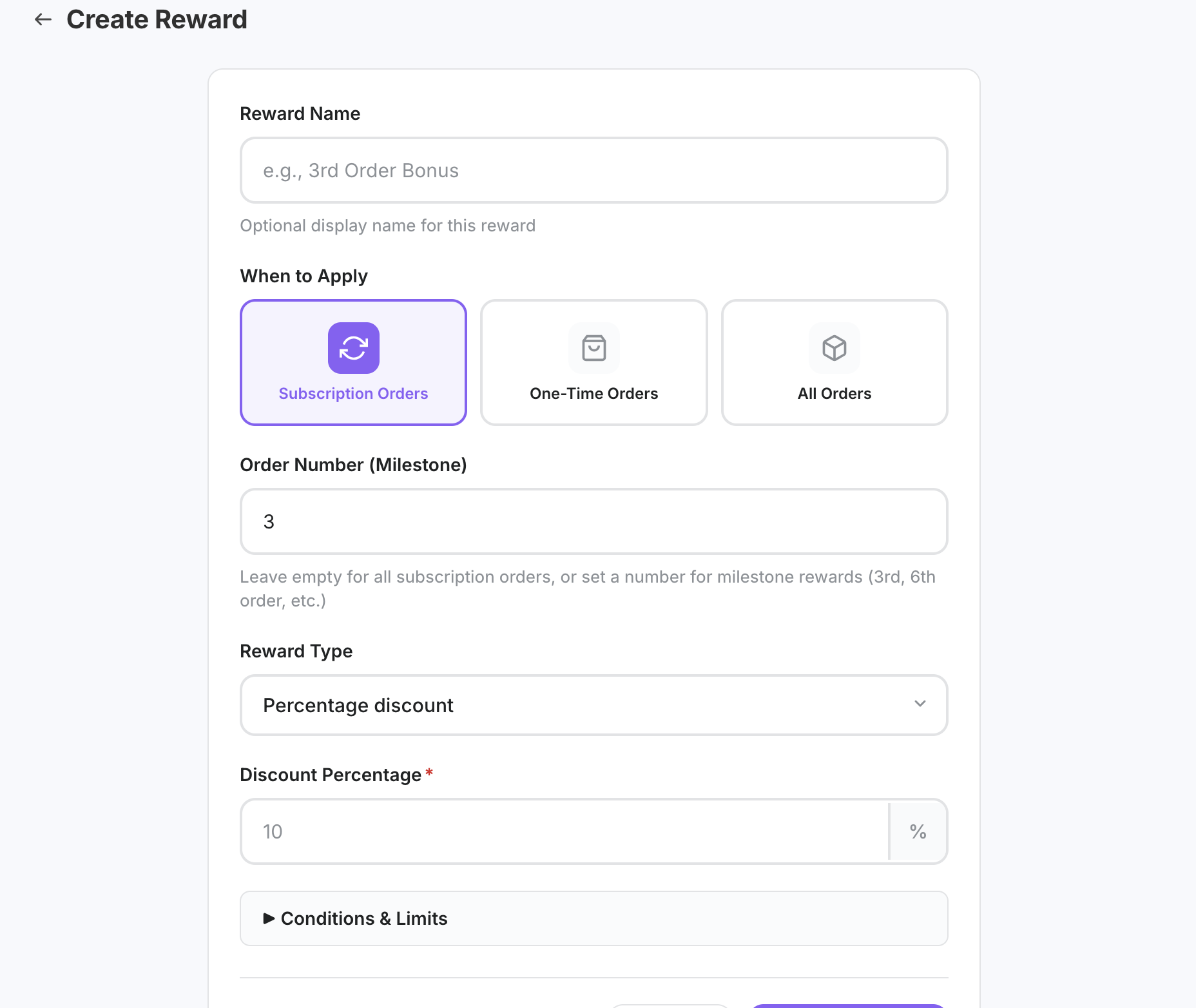
- Go to **Rewards** in the subZwallet sidebar and click **Create reward** (or **Add reward**).
- Set the **milestone order number** — this is the recurring order where the reward triggers (e.g. every 3rd order, or specifically the 5th order).
- Optionally **scope** the reward to a specific product or collection. Leave unscoped to apply it across all subscriptions.
- Select the **reward type**: percentage, fixed amount, free shipping, or free product.
- Enter the **value** (percentage or dollar amount) or **select the product/variant and quantity** for free product rewards.
- Click **Save**. The reward activates immediately and applies automatically when any subscriber reaches that order number.
Selling plan discounts vs. milestone rewards
Shopify selling plans let you set a fixed discount that applies to every order in a subscription — for example, 10% off every renewal. This is useful for a subscribe-and-save model where the value proposition is a consistent price break. But it does not change over time (https://shopify.dev/docs/apps/build/purchase-options/subscriptions/selling-plans).
Milestone rewards are different. They fire at specific order numbers and then stop. A subscriber gets 15% off their 5th order, but their 6th order reverts to the normal subscription price. Use both together: a selling plan discount for the baseline subscribe-and-save value, plus milestone rewards for retention-driving moments throughout the subscriber lifecycle.
Next steps
Milestone rewards are one layer of a retention strategy. Pair them with other subZwallet tools for compounding effect:
- **Flows** (Growth/Scale plans) — Automate actions around the same milestone triggers. Send a thank-you email before the reward hits, or offer an upsell alongside the free product. See the Flows help article.
- **Customer tiers** — Graduate long-term subscribers into tiers that unlock permanent benefits, while milestone rewards handle one-time recognition moments. See the Customer tiers help article.
- **Loyalty program** — Combine milestone rewards with points or cashback for a full loyalty stack. Learn more at /shopify-loyalty-program.