Subscription plans
Every recurring-revenue product on Shopify needs a subscription plan — the configuration that tells checkout how often to charge and whether to apply a discount. Without a plan attached, a product only sells as a one-time purchase.
In Shopify's subscription architecture, a selling plan group contains one or more selling plans. Each selling plan specifies a delivery interval and a pricing policy. subZwallet manages this structure for you: you configure options in the UI, and the app creates the corresponding selling plan objects via the [Shopify Selling Plans API](https://shopify.dev/docs/apps/build/purchase-options/subscriptions/selling-plans).
Where to find Subscription Plans
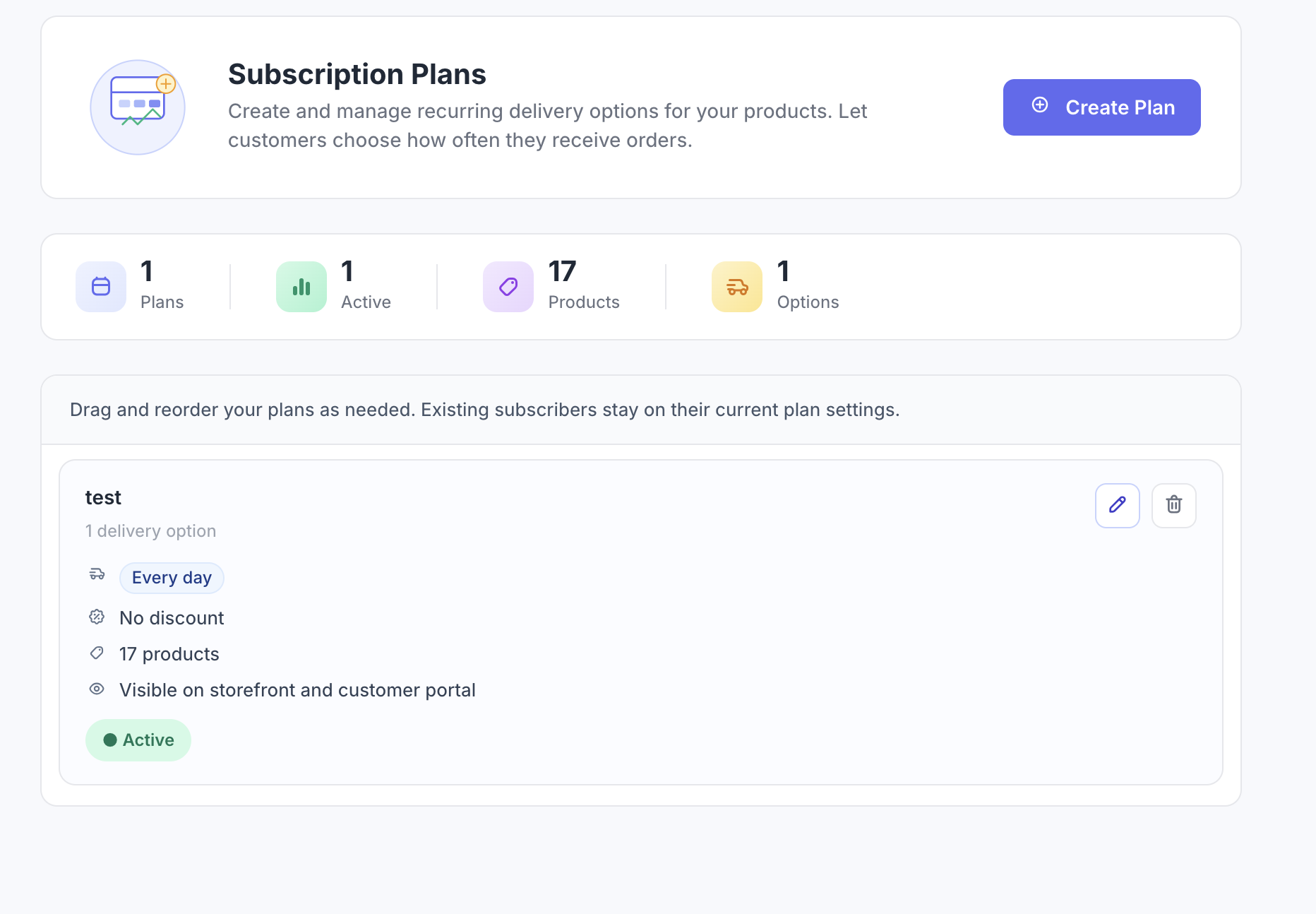
In the subZwallet sidebar, click Subscription Plans. The list view shows every plan group, the number of attached products, and the delivery frequencies configured.
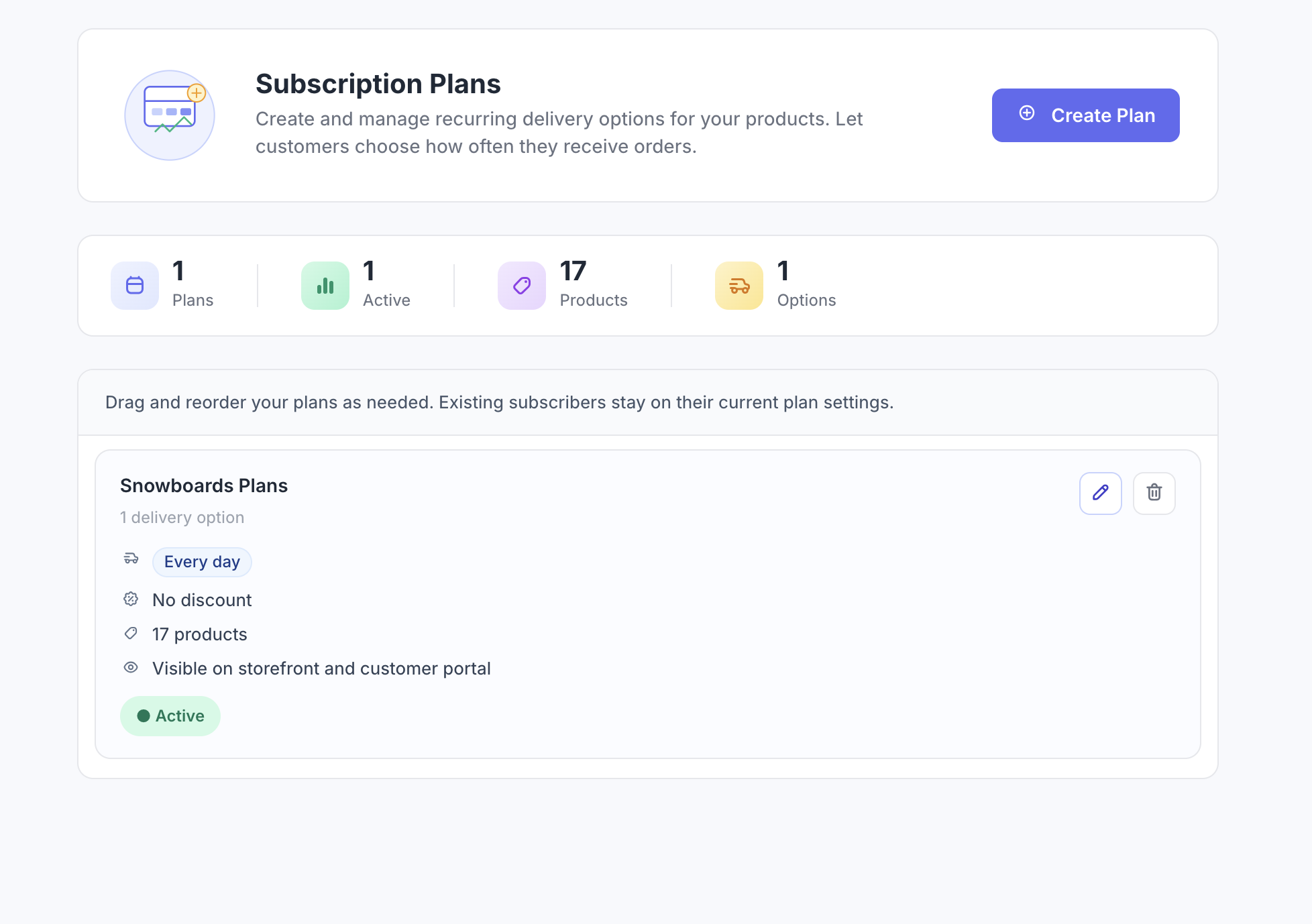
Create a subscription plan: step by step
- Click **Create plan** from the Subscription Plans list.
- Enter a plan group name. This name appears in your Shopify admin — customers see the individual option labels at checkout.
- Under **Delivery & discount**, set the first delivery interval. Choose a number and unit: WEEK, MONTH, or YEAR (e.g., every 2 weeks, every 1 month, every 3 months).
- Select a pricing policy for this interval (see Pricing policy types below).
- To offer multiple frequencies, click **Add option** and repeat steps 3-4 for each additional interval.
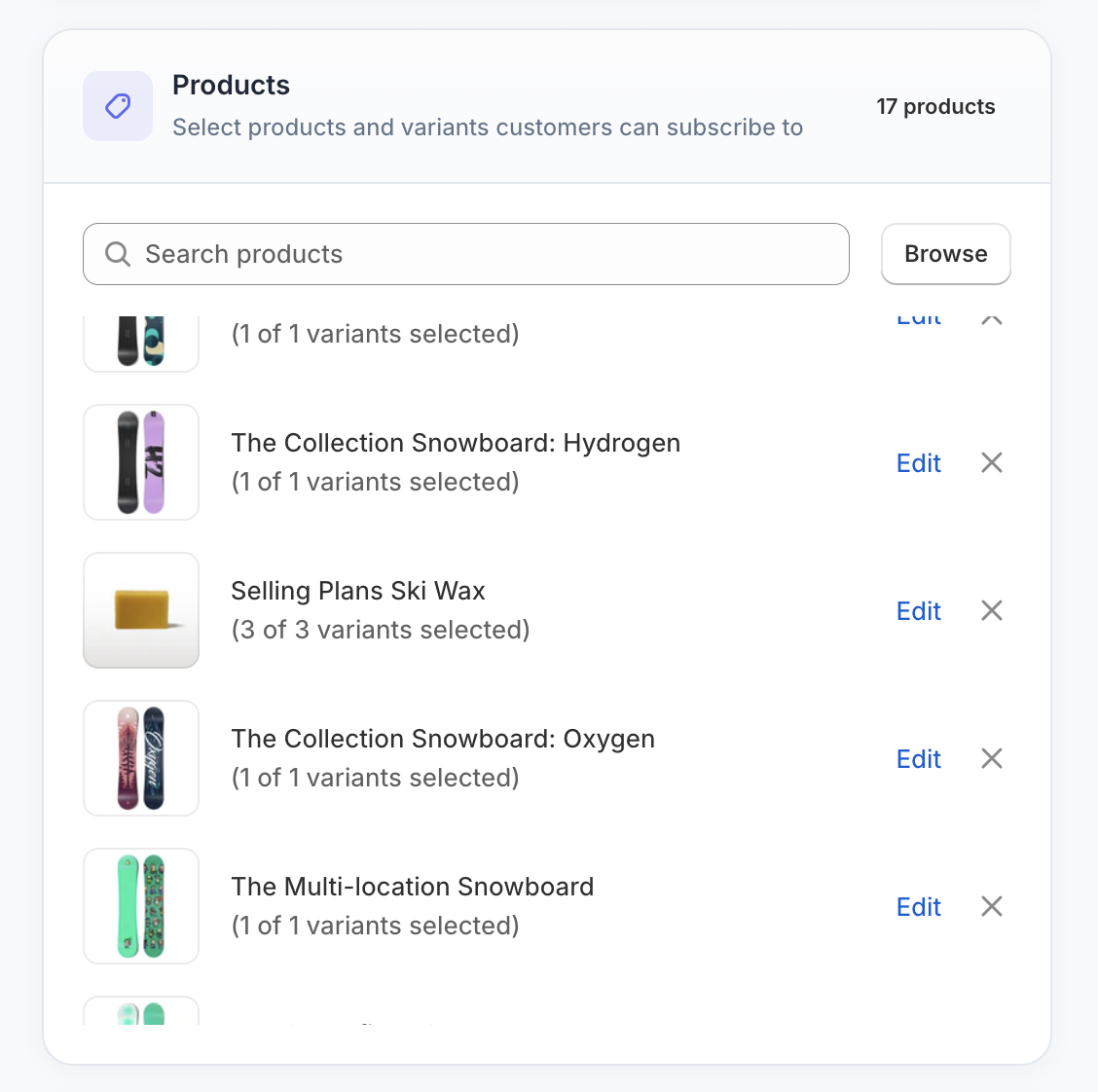
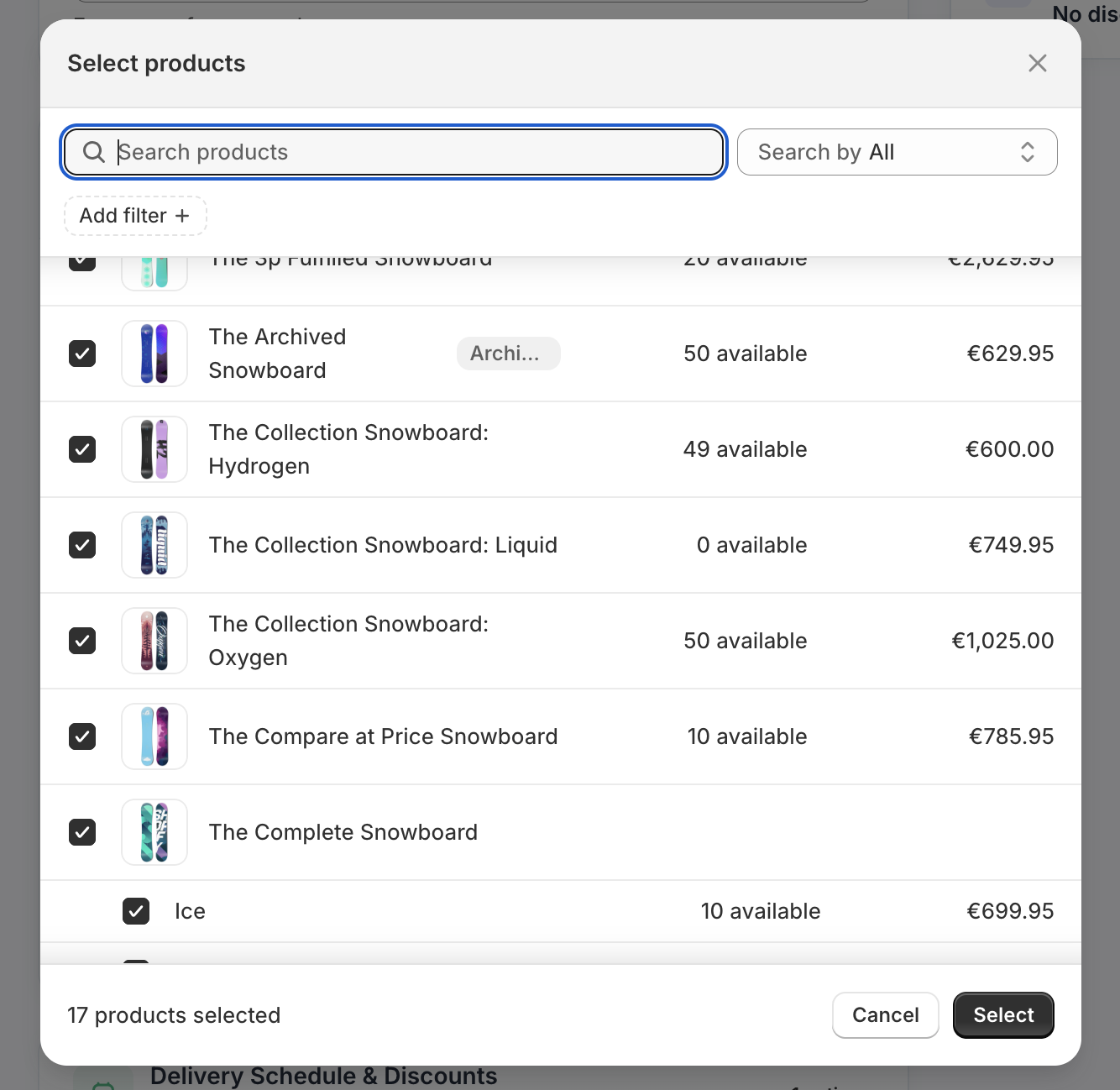
- Under **Products**, click **Add products** to open the product picker. Select the products and variants this plan applies to.
- Review the summary, then click **Save**. The plan is immediately available at checkout for attached products.
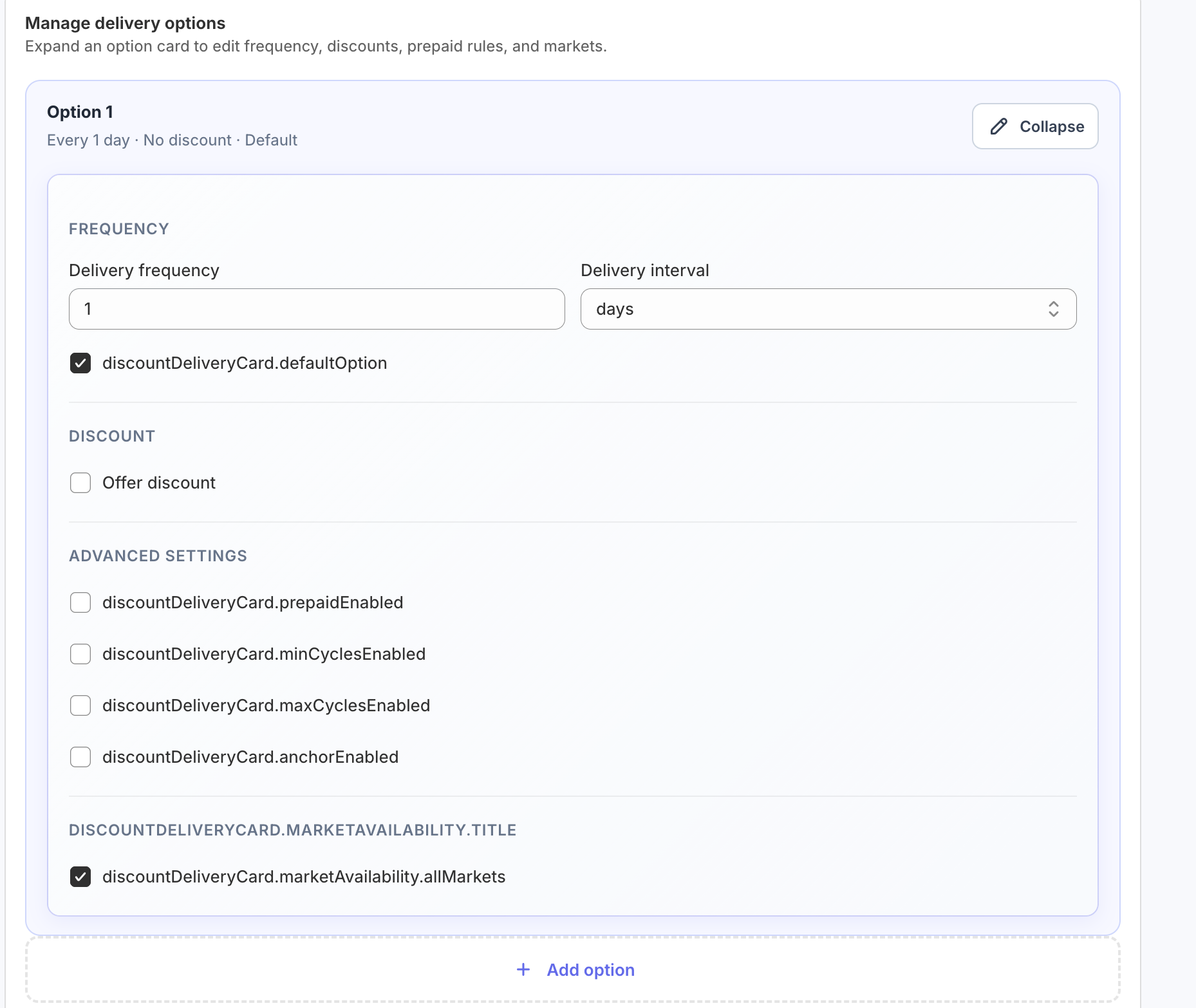
Pricing policy types
Each selling plan requires a pricing policy that determines how the subscription price relates to the product's base price. Shopify supports three policy types, and subZwallet exposes all three in the plan configuration UI.
Shopify allows a maximum of two price adjustments per selling plan allocation. For most subscription models, a single adjustment per plan is sufficient.
Delivery interval options
Delivery intervals define how frequently Shopify creates billing cycles for a subscription contract. You set an interval count and an interval unit. The available units are WEEK, MONTH, and YEAR. The interval must be uniform within a single selling plan — you cannot mix weekly and monthly billing in one plan, but you can create separate plans within the same group for each frequency.
Common configurations: every 1 week (weekly), every 2 weeks (biweekly), every 1 month (monthly), every 2 months (bimonthly), every 3 months (quarterly), every 6 months (semiannual), every 1 year (annual). Refer to [Shopify's selling plan documentation](https://shopify.dev/docs/apps/build/purchase-options/subscriptions/selling-plans/build-a-selling-plan) for the full interval specification.
Example plan configurations by vertical
The right plan structure depends on your product category and customer behavior. Here are field-tested configurations for common subscription verticals.
Editing and managing existing plans
Click any plan group in the Subscription Plans list to edit it. You can change delivery intervals, adjust pricing policies, and add or remove products. Changes apply to new subscriptions only — active contracts retain the terms from when the customer subscribed.
To modify billing or delivery terms on active subscriptions, navigate to Manage Subscriptions and edit the individual contract.
Technical limits to know
- Maximum 31 selling plans per selling plan group.
- Maximum 2 price adjustments per selling plan allocation.
- Delivery interval must be uniform within a single selling plan.
- Plans are automatically deleted 48 hours after app uninstall.
Next steps
After creating your first plan, attach it to products and verify the subscription widget appears on your storefront. If you are setting up subscriptions for the first time, follow the complete walkthrough in [How to create your first subscription](/help/how-to-create-first-subscription).
To monitor active contracts created from your plans, see [Manage Subscriptions](/help/manage-subscriptions). For a deeper look at how subZwallet interacts with Shopify's subscription infrastructure, read [Understanding the Shopify Subscription API](/help/understanding-shopify-subscription-api).
Ready to launch subscriptions? [Install subZwallet](/) and create your first plan in under five minutes.