Manage Subscriptions in SubZwallet
Every active subscriber in your store is represented by a subscription contract — the record that controls what gets billed, when, and where it ships. Manage Subscriptions is where you monitor, troubleshoot, and update those contracts day to day.
Subscription operations directly affect revenue retention. A contract stuck in a failed-payment state is revenue leaking; a customer who cannot skip a cycle is a cancellation waiting to happen. This guide covers every action available on the Manage Subscriptions screen so your team can handle routine requests and billing exceptions without guesswork.
How subscription contracts work
When a customer completes a subscription checkout on Shopify, the platform automatically creates a subscription contract. That contract stores the product lines, delivery schedule, shipping address, and payment method. subZwallet reads and manages these contracts through Shopify's Subscription Contract API ([Shopify: About subscription contracts](https://shopify.dev/docs/apps/build/purchase-options/subscriptions/contracts)).
Each contract carries a status that determines whether billing continues:
Understanding these statuses prevents mistakes — for example, cancelling a contract when the merchant intended to pause it.
Navigating the contract list
Open Manage Subscriptions from the subZwallet sidebar. The list shows every subscription in your store under tabs with counts: upcoming, failed, out of stock, paused, cancelled and expired.
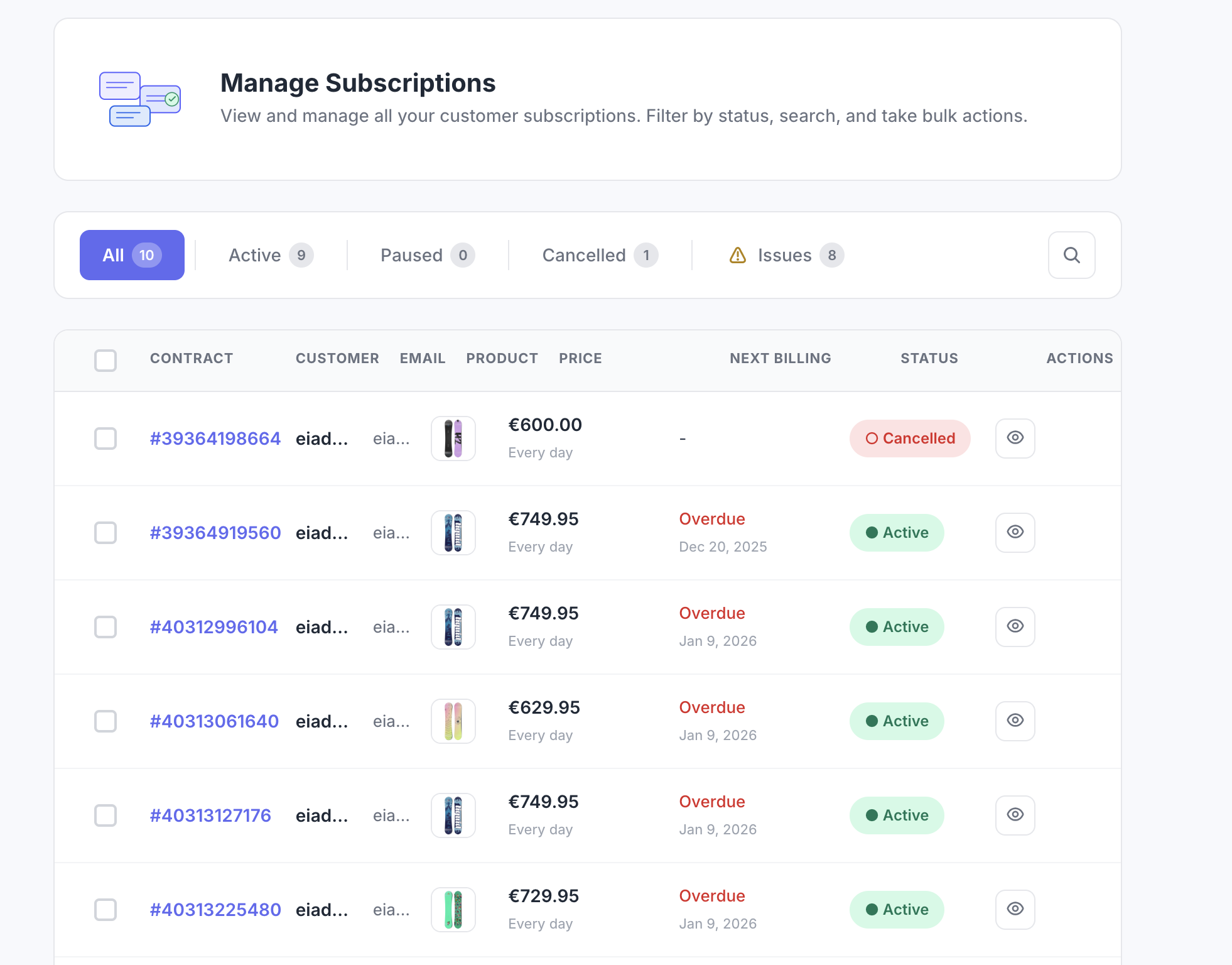
Use the search box to find contracts by contract ID, customer name, or email address. For stores with thousands of subscribers, filtering by tab first and then searching narrows results significantly.
Bulk actions
Select one or more contracts using the checkboxes in the list, then choose an action from the bulk actions bar: Pause, Activate, or Cancel. Each action requires confirmation before it executes. Bulk actions are useful when you need to pause all contracts before a warehouse shutdown or reactivate a batch of contracts after resolving a supplier issue.
Bulk cancel is irreversible. Double-check your selection before confirming — cancelled contracts cannot be reinstated.
Contract detail page
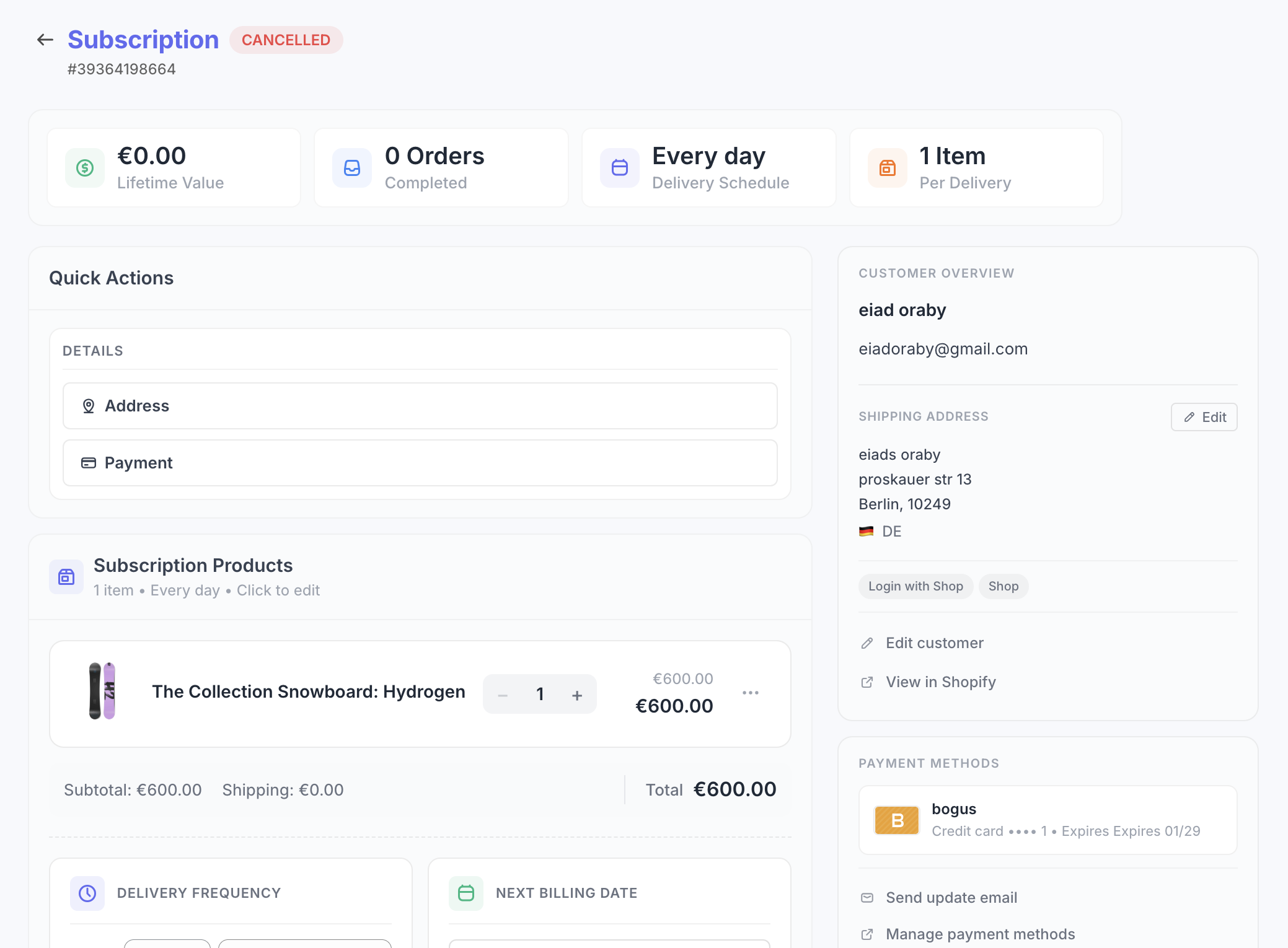
Click any contract to open its detail page. This is the operational hub for a single subscription:
- **Subscription lines and next billing date** — the products, quantities, and when the next charge fires.
- **Customer name and email** — links to the Shopify customer record.
- **Shipping address** — editable via the address card.
- **Payment method** — card brand and last four digits. The customer updates this through the customer portal or a payment update email.
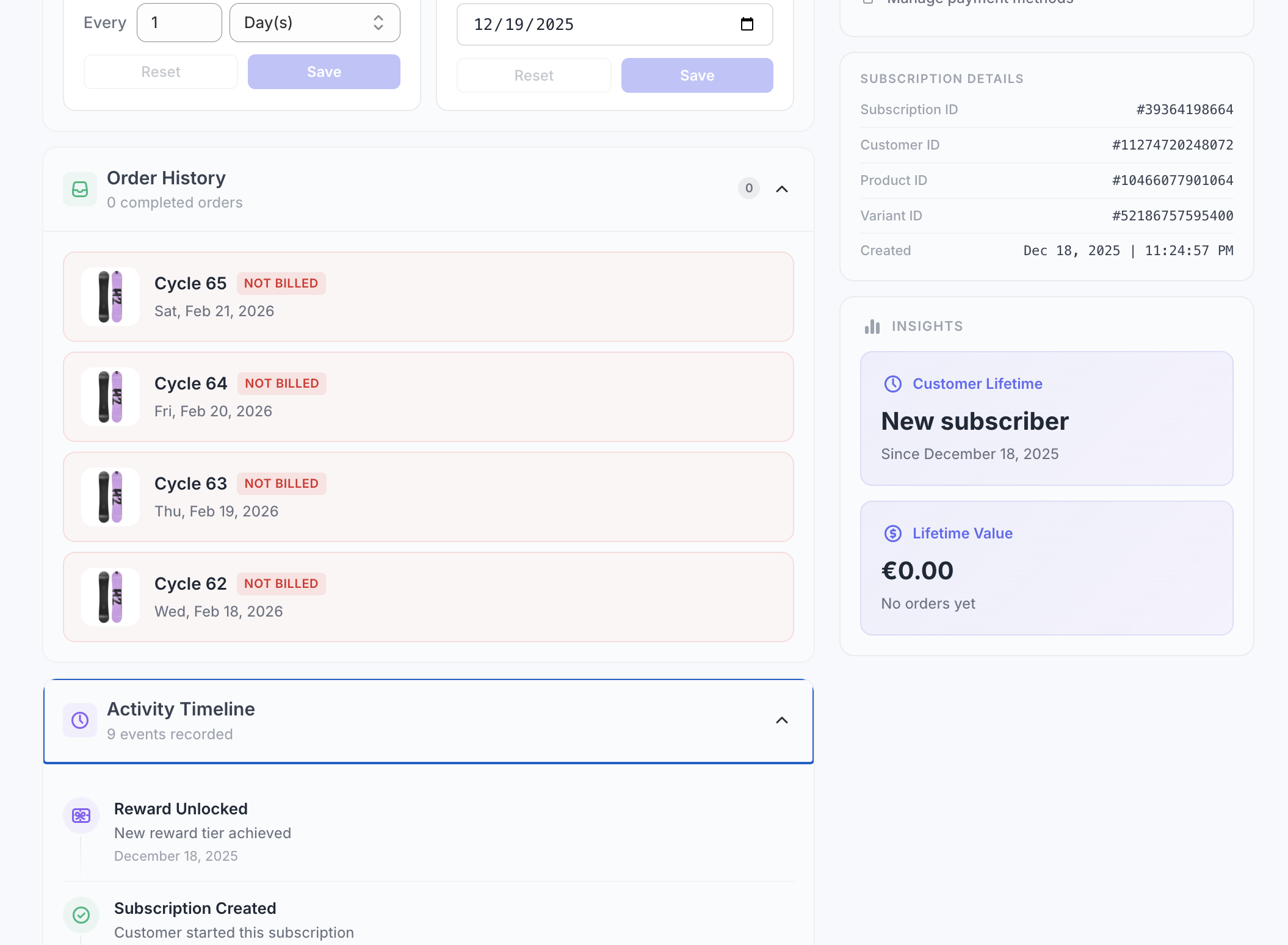
- **Upcoming orders**: future orders with skip and restore controls.
- **Past orders**: billing history with order links. Each order is tagged with the subscription number.
- **Activity timeline**: every change to the subscription, by you, your staff or the customer.
- **Actions**: Pause, Resume, Cancel, Skip, Reschedule, Change frequency, Process now, Edit next order, Add discount, Send payment-update email, Send portal sign-in link.
Common scenarios and how to handle them
When a charge fails (declined card, insufficient funds, expired card), the subscription shows in the Failed tab and the alert center. subZwallet does not cancel on the first failure; dunning retries on your schedule. Your options:
- Send the customer a payment-update email. Shopify emails them a secure link to update the card.
- Once the card is updated, use **Process now** to bill the order instead of waiting for the next retry.
- If the customer is unreachable, **Skip** the order, or let dunning run its final action.
For automated recovery, configure retry schedules and dunning emails in [App settings](/help/how-to-set-up-dunning). Proper dunning setup recovers the majority of failed payments without manual intervention.
Open the subscription and go to the upcoming orders. Click Skip next to the order you want to bypass. Skipping does not shift later order dates; it marks that one order as skipped ([Shopify: About billing cycles](https://shopify.dev/docs/apps/build/purchase-options/subscriptions/billing-cycles)). To undo, restore the order before its date.
On the subscription page, find the Shipping address card and click Edit. Update the address and save. The new address applies to future orders on that subscription. Customers can also update their address in the customer portal.
Go to the contract list, filter to the Active tab, select all relevant contracts, and choose Pause from the bulk actions bar. Confirm the action. When operations resume, return to the Paused tab, select the contracts, and choose Activate. Pausing preserves every contract detail — nothing is lost.
Edit the next order and add discounts
- **Edit next order**: change quantities and prices, swap a variant, or add one-time items and gifts to the next order.
- **Schedule**: skip, reschedule the next order, or change the frequency.
- **Add a discount**: % or fixed amount, for the upcoming order only or for every order, on the items you choose. If an item is swapped later, the discount stays on it.
Process now
Process now bills the upcoming order now, for example when a customer asks for an early delivery or after they update a failed card. Customers can do the same from the portal with Order now (once a day).
Customer contact from the subscription page
Send a payment-update email (Shopify emails the customer a secure link to update their card) or a portal sign-in link so the customer can manage the subscription themselves.
What customers can change in the portal
Many requests never reach your team because customers handle them in the customer portal: skip or restore an upcoming order, reschedule, order now (once a day), pause and resume, change frequency, swap products or variants from your allowed list, change quantity or remove items for the next order, add one-time add-ons, update address, update payment (secure link from Shopify), apply a discount code, add an order note, and cancel through your cancel flow.
Next steps
If you have not created subscription plans yet, start with [Subscription plans](/help/subscription-plans) to define your delivery frequencies and discounts. For automated failed-payment recovery, configure your retry strategy in [Dunning settings](/help/how-to-set-up-dunning). Merchants migrating from another platform should follow the [Migration playbook](/migrate-from-recharge-to-subzwallet) to transfer existing contracts. Review [App settings](/help/app-settings) for the billing hour, pause/resume rules, staff roles and notification preferences.
Ready to streamline your Shopify subscription management? [Install subZwallet](/) and start managing contracts from a single dashboard.
For a broader overview, read our guide to [Shopify subscription management](/blog/shopify-subscription-management).