Upsell products for Shopify subscriptions
Subscription revenue grows when existing customers spend more per order. Upsell products let you surface relevant items — a one-time add-on, a complementary product, or a seasonal limited-edition — directly inside the customer portal so customers can add them to their next order as one-time add-ons, without creating a separate order. You can also promote products with the upsell block in your subscription emails. Checkout and cart upsell blocks are not available right now.
Shopify's <a href="https://shopify.dev/docs/apps/build/purchase-options/subscriptions/billing-cycles/manage-billing-cycle-contracts" target="_blank" rel="noopener">Billing Cycles API</a> supports per-cycle edits, meaning items can be added to a single upcoming order without modifying the underlying subscription contract. subZwallet uses this capability to power a merchant-controlled upsell catalog that subscribers browse from their self-service portal.
When to use upsell products
Upsells work for three common scenarios. Match each scenario to the right product selection to keep offers relevant and conversion rates high.
- <strong>One-time add-on</strong> — A product the subscriber wants once but not on every order. Example: a coffee brand offers a branded mug or a sample pack of a new roast.
- <strong>Complementary product</strong> — An item that pairs with the subscription. Example: a skincare subscriber adds a travel-size sunscreen that complements their moisturizer refill.
- <strong>Seasonal or limited-edition item</strong> — A time-sensitive product you rotate in and out. Example: a pet food subscription features a holiday treat bundle available only in December.
Rotate your upsell catalog regularly. Stale offers get ignored; fresh, relevant products drive incremental revenue.
Set up upsell products step by step
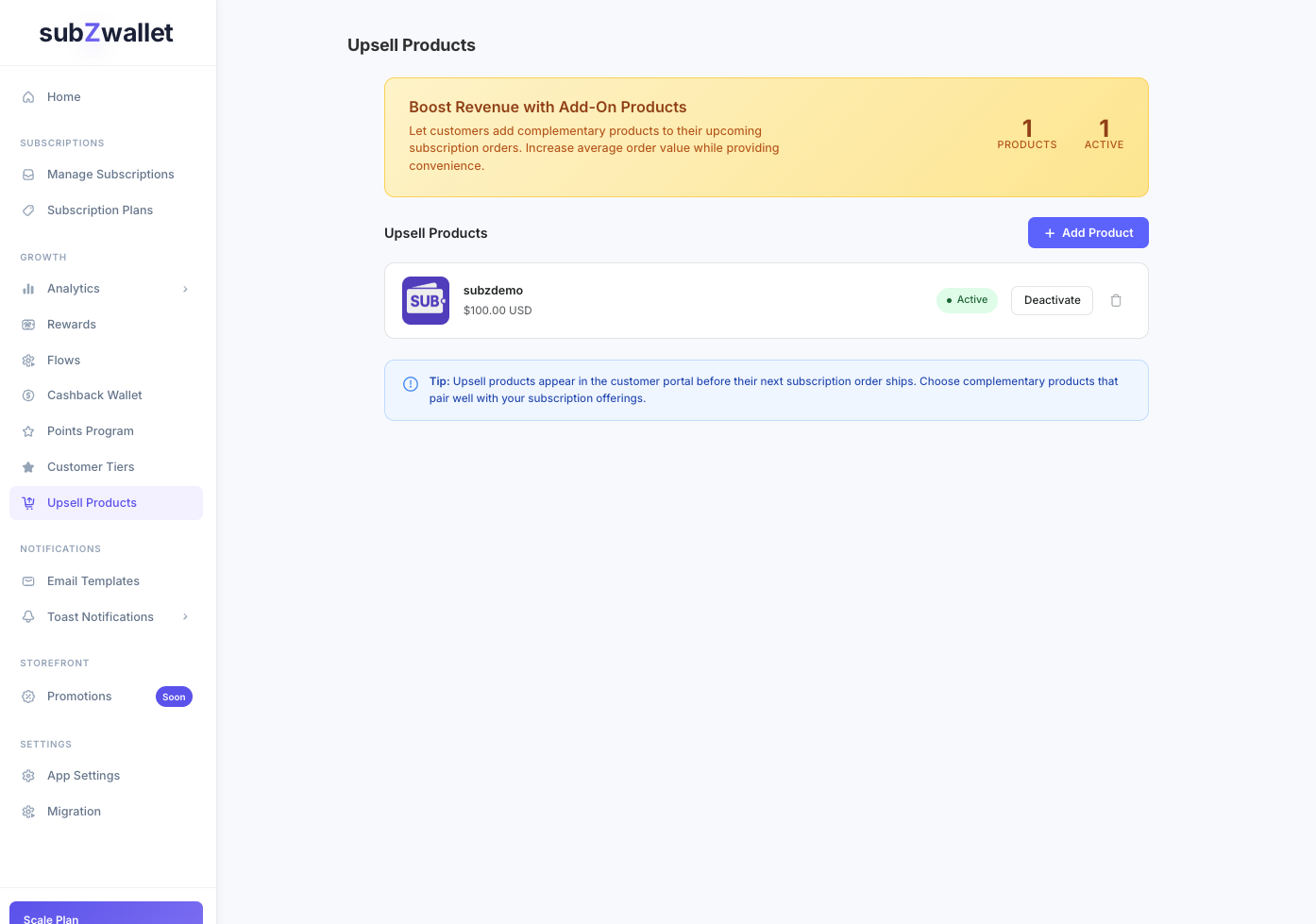
- In subZwallet, open the sidebar and go to <strong>Upsell</strong> (under Engage). If it is locked, upgrade to the Growth plan or higher.
- Click <strong>Add product</strong>. The product picker loads your Shopify catalog. Select one or more products (and specific variants if needed).
- Set the <strong>display order</strong> to control which upsells appear first in the subscriber portal.
- Toggle the item to <strong>Active</strong>. Only active items are visible to subscribers.
- Repeat for each product you want to offer. Remove or deactivate items you no longer want shown.
How customers add upsell items
Subscribers manage their subscription in the customer portal, which they open through their customer account or a secure link the store sends. When a subscriber views their upcoming order, active upsell products appear as add-ons. Out-of-stock products are hidden automatically.
- The subscriber opens their subscription management page.
- Below the recurring items, they see a section with available upsell products.
- They click <strong>Add</strong> on the item they want. The product is attached to the next billing cycle only.
- The next order total updates to reflect the added item. The subscriber can remove it before the order processes if they change their mind.
Because upsells attach to a single billing cycle, the subscriber's base subscription is never altered. This is handled through Shopify's <a href="https://shopify.dev/docs/apps/build/purchase-options/subscriptions/billing-cycles/manage-billing-cycle-contracts" target="_blank" rel="noopener">billing cycle contract management</a>, which isolates per-cycle changes from the recurring contract.
Upsell strategy that converts
Offering every product in your catalog as an upsell dilutes attention. Curate a focused list of 3-8 items and rotate based on season, inventory, or customer feedback. Add the upsell block to your subscription emails (for example the upcoming-order reminder) so subscribers see the add-ons before their next order, not only when they open the portal.
Track which upsell items get added most often and which get ignored. Drop underperformers after 2-3 billing cycles and replace them with new options.
Next steps
- <a href="/shopify-upsell-app">Learn more about subZwallet's upsell capabilities</a> and how they compare to standalone upsell apps.
- <a href="/help/manage-subscriptions">Manage subscriptions</a> — see how subscribers interact with their orders, including upsell additions.
- <a href="/help/email-templates">Email templates</a> — add the upsell block to your subscription emails.
- <a href="/help/subscription-plans">Subscription plans</a> — configure the base plans that upsells complement.