Flows: Visual Subscription Automation Builder
Subscription brands that automate retention actions — milestone rewards, cashback on repeat orders, win-back offers for paused subscribers — retain 15-25% more customers than those relying on manual discount codes. The challenge is building that automation without a developer or a patchwork of disconnected tools.
subZwallet Flows is a visual drag-and-drop automation builder made specifically for Shopify subscriptions. Every flow follows a trigger-condition-action model: a subscription event fires, conditions filter the audience, and actions deliver the reward. No code, no external integrations, no Shopify Flow workarounds. Available on Growth and Scale plans.
Where to find Flows
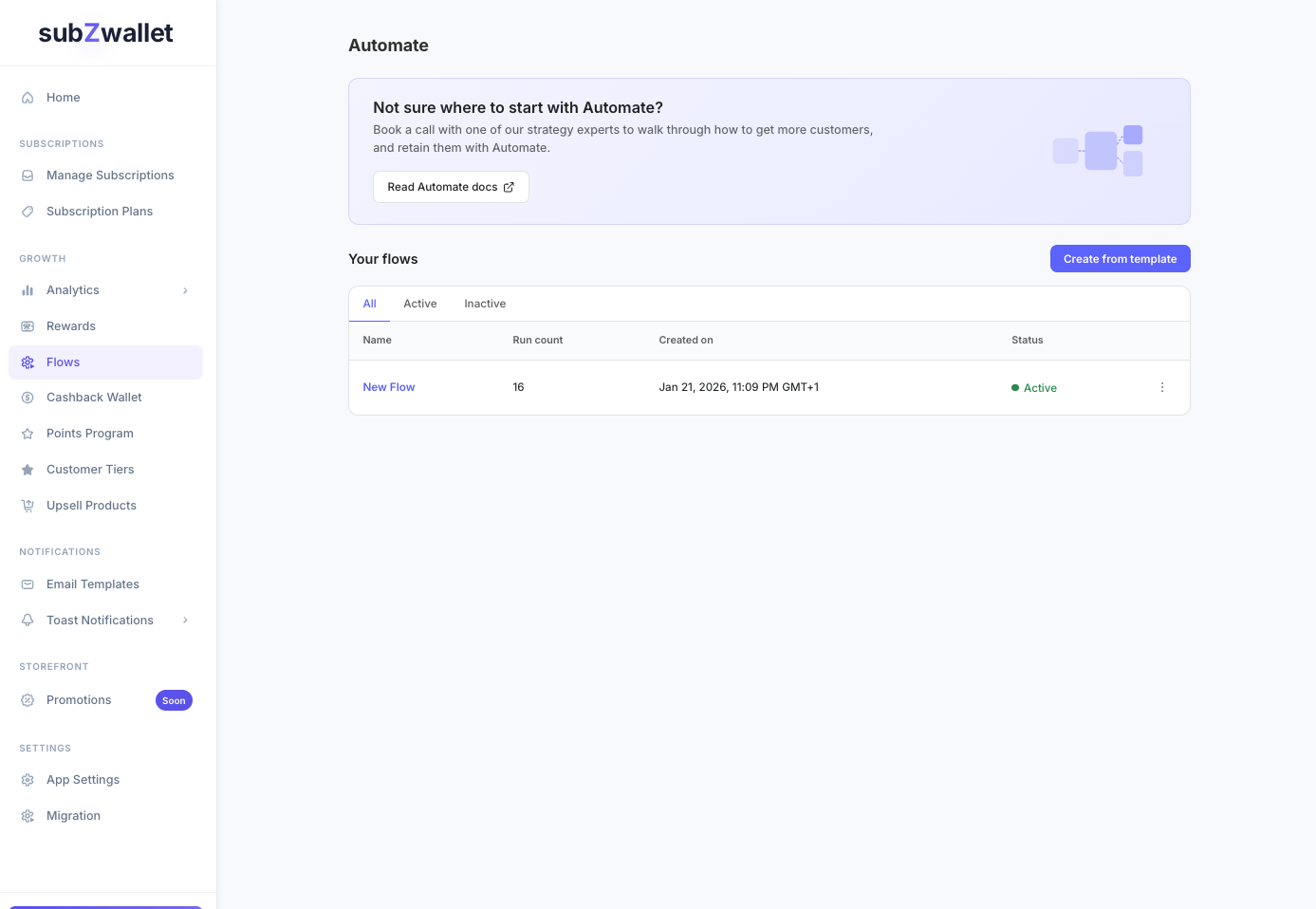
Open the subZwallet app sidebar and click Flows. The list view shows every flow with its status (active, draft, or archived), trigger type, priority, and usage count. Click any flow to edit, or click Create to start a new one.
Shopify Flow vs subZwallet Flows
Shopify Flow is a free, general-purpose automation tool available on all Shopify plans ([Shopify Flow overview](https://help.shopify.com/en/manual/shopify-flow)). It uses the same trigger-condition-action model, but it was built for store-wide operations — inventory alerts, order tagging, fraud flagging — not subscription lifecycle management.
Shopify Flow exposes only 5 subscription-related triggers (subscription contract created, activated, failed, paused, cancelled) and lacks subscription-aware reward actions entirely ([Subscription triggers reference](https://help.shopify.com/en/manual/shopify-flow/reference/triggers/subscription-contract-created)). subZwallet Flows fills that gap with 9 triggers purpose-built for subscription milestones, 30+ conditions that evaluate subscriber behavior, and 10+ actions that deliver rewards directly through the subscription billing cycle.
All available triggers
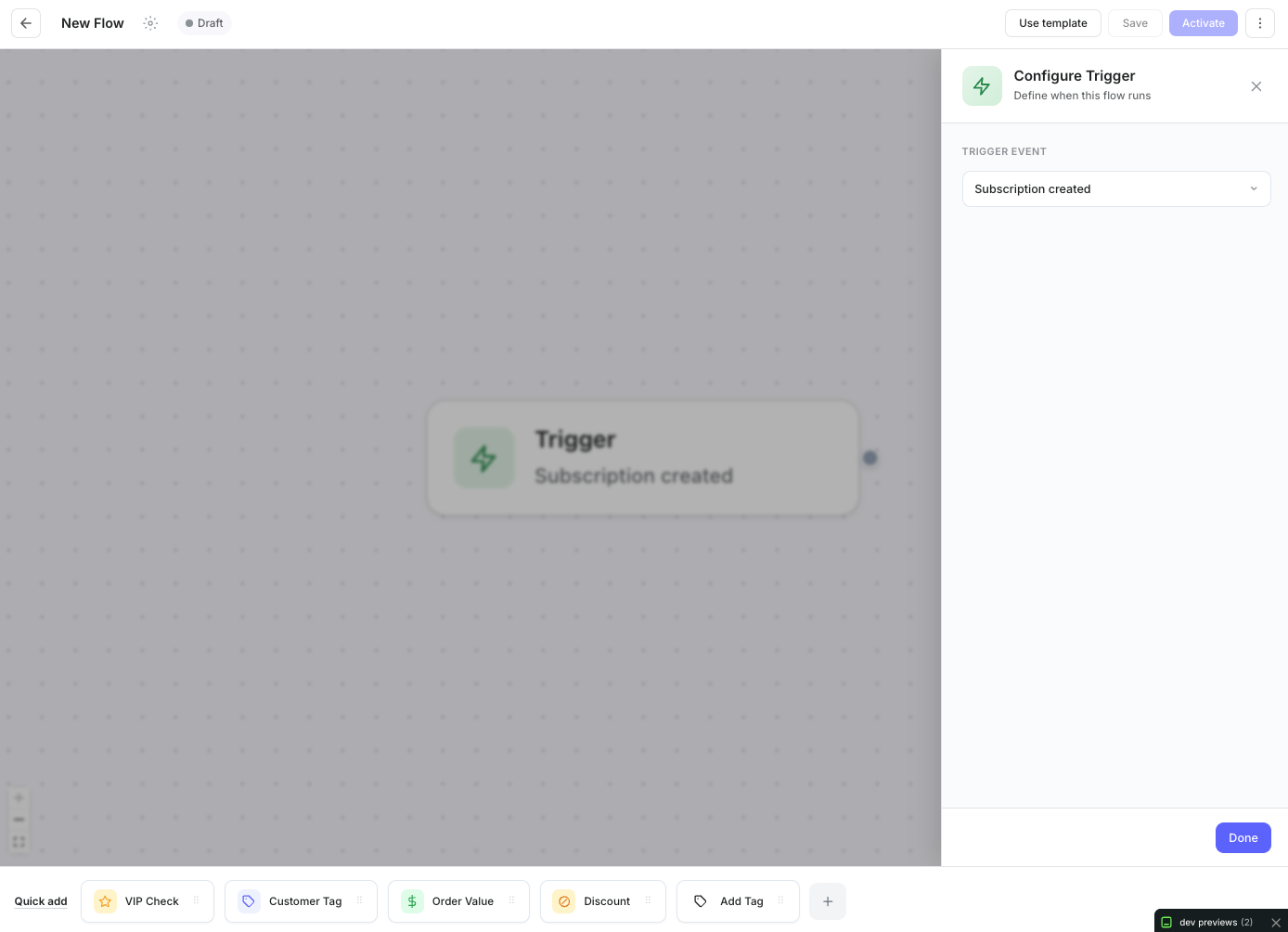
Triggers define which subscription event starts the flow. Each trigger exposes configuration fields specific to its event type.
All available conditions
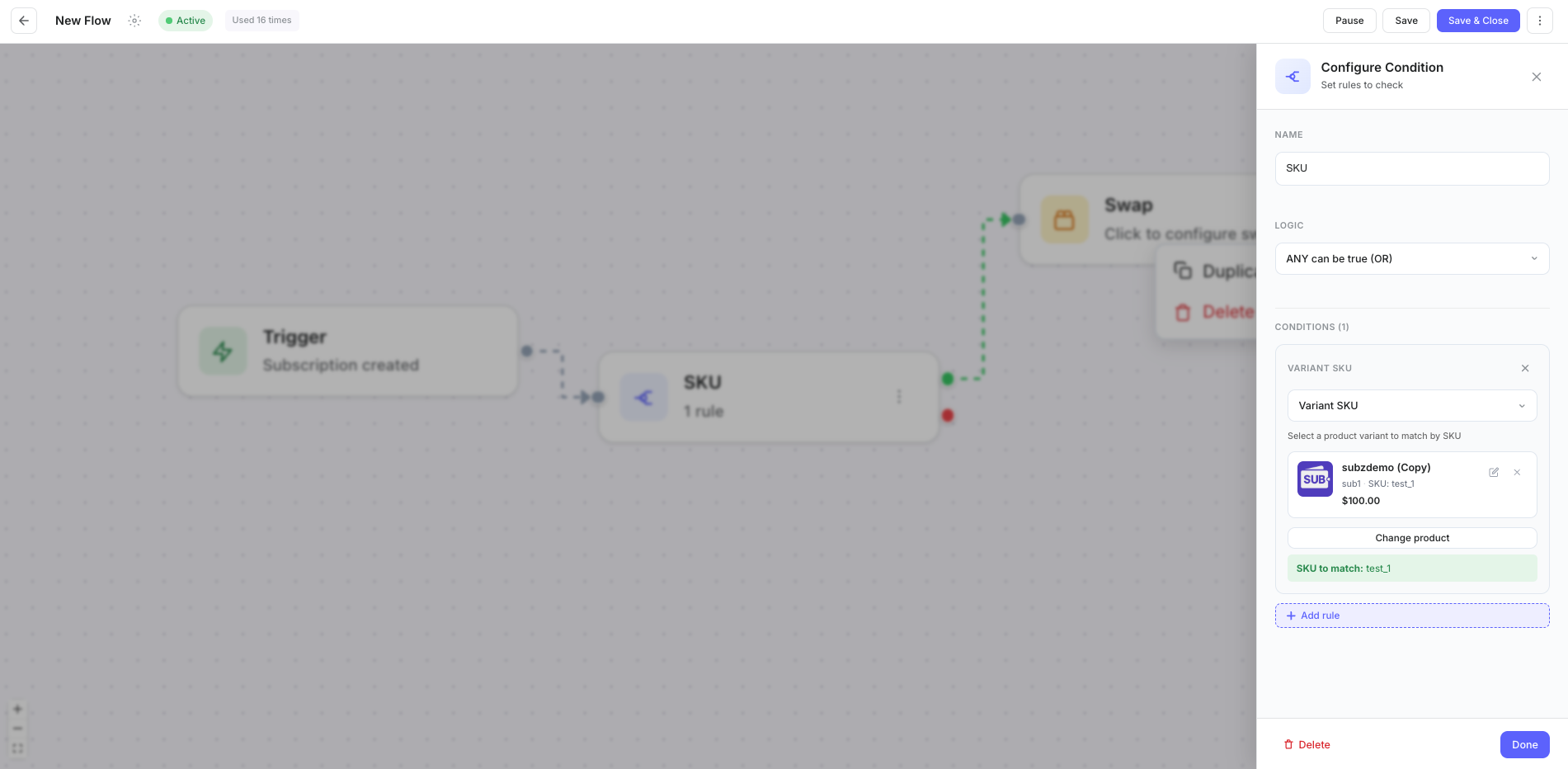
Conditions filter which subscribers proceed through the flow. Each condition block evaluates to true or false, and you can chain multiple conditions with AND/OR logic. Operators include: equals, not_equals, greater_than, less_than, contains, and in_list.
All available actions
Actions execute when a subscriber passes through a condition branch. Attach multiple actions in sequence to a single branch — for example, apply a discount and send an email in the same flow step.
Three flow recipes you can build today
These recipes use real trigger-condition-action combinations. Each can be built in under 5 minutes from the visual builder.
- **Trigger:** Every Nth Order (N = 5, start after order 0)
- **Condition:** customer_tier equals "Silver" OR customer_tier equals "Gold"
- **Action (true branch):** Percentage discount — 10%, max $15
- **Action (true branch):** Send email — "Your 5th-order reward is here"
- **Action (false branch):** Add tag — "upgrade-candidate"
- **Trigger:** Subscription Resumed
- **Condition:** subscription_duration_days greater_than 30 AND never_used_reward equals true
- **Action (true branch):** Cashback (fixed) — $5 wallet credit
- **Action (true branch):** Send email — "Welcome back + $5 in your wallet"
- **Trigger:** Any Subscription Order
- **Condition:** order_value greater_than 100 AND customer_tier equals "Platinum"
- **Action (true branch):** Free product — sample pack, qty 1
- **Action (true branch):** Cashback (%) — 3% of order value
Flow settings and priority
Each flow has a priority number that determines evaluation order when a subscriber qualifies for multiple flows. Lower numbers evaluate first. Set usage limits (total redemptions and per-customer cap) and optional start/end dates to run time-bound campaigns.
The template library includes pre-built flows for common scenarios: swap product on 2nd order, 3rd order bonus, VIP bonus, high-value order reward, 10th order free product, and win-back for paused subscribers. Each template is fully editable after creation.
How to build your first flow
- Navigate to **Flows** in the sidebar and click **Create**.
- Choose a template or start with a blank canvas.
- Drag a trigger block onto the canvas and select the event type. Configure any required fields (order number, product, interval).
- Drag a condition block and connect it to the trigger. Choose the condition type, operator, and value. Add additional conditions with AND/OR connectors as needed.
- Drag action blocks onto the true and/or false branches. Configure each action (discount amount, product, email template).
- Set the flow priority, usage limits, and optional date range in the flow settings panel.
- Click **Save** to keep the flow in draft, or **Save & Activate** to start processing subscribers immediately.
Related features
Flows connect directly to other subZwallet systems. [Rewards](/help/rewards) handles simpler milestone-based incentives without branching logic. [Cashback Wallet](/help/cashback-wallet) manages the wallet balance that cashback actions credit to. [Points Program](/help/points-program) layers point-earning rules on top of flow-triggered rewards. [Customer Tiers](/help/customer-tiers) provides the tier values that flow conditions evaluate. For retention strategy, see the [Subscription Churn Reduction Playbook](/blog/reduce-shopify-subscription-churn).
For a deeper look at subscription automation strategy, visit the [Shopify Automation Flows](/shopify-automation-flows) guide.