Home dashboard
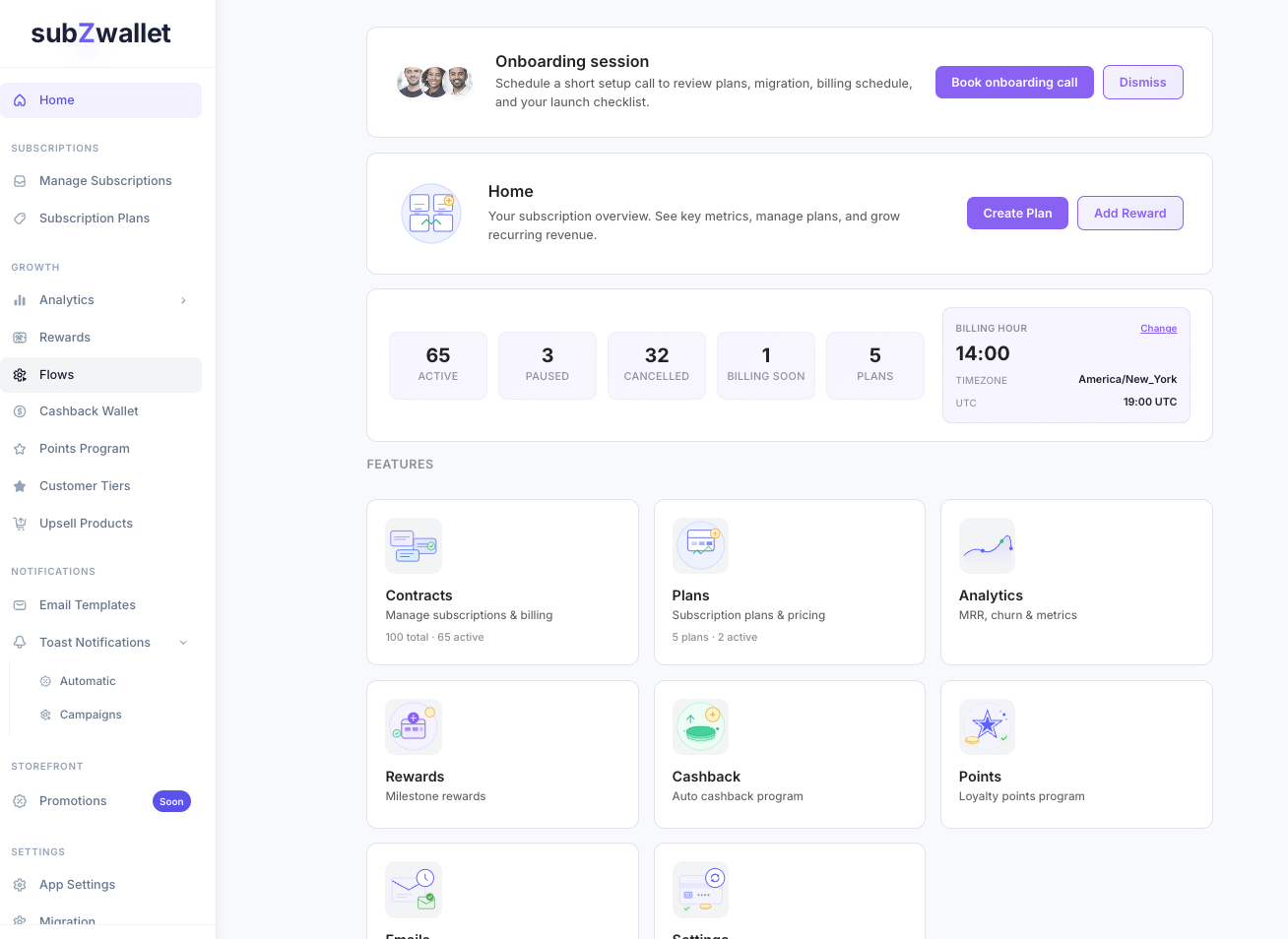
Home is your command center. Every time you open subZwallet you land here, and every number on the page links to the detail view behind it.
Where to find it
Click Home at the top of the sidebar. It loads by default when you open the app.
Stats and what they mean
Active contracts -- subscriptions currently billing on schedule. If this number is lower than expected, check Manage Subscriptions for paused or failed-payment contracts.
Paused contracts -- subscriptions a customer or you have temporarily stopped. Revenue resumes only when they are unpaused, so review these regularly in Manage Subscriptions and reach out if a subscriber has been paused for a while.
Cancelled contracts -- subscriptions that have ended. A rising count may signal pricing or product-fit issues worth investigating in Analytics.
Subscription plans -- the number of plans you have published. If you see zero, head to Subscription Plans to create your first one.
Upcoming billings (next 7 days) -- charges scheduled to process soon. Use this to anticipate revenue and catch any contracts you may want to adjust before they renew.
Onboarding prompts
If you have no plans or no contracts yet, the dashboard surfaces step-by-step prompts -- for example, "Create your first plan" or "Start your free trial." These disappear once you complete each step.
Plan banner
Your current plan (Free, Launch, Growth, or Scale) appears at the top. Click it to open Plans & Pricing if you want to upgrade. During a free trial the banner shows days remaining so you know exactly when billing starts.
Quick-nav shortcuts
Cards on the dashboard link directly to Manage Subscriptions, Subscription Plans, Analytics, and other sections so you can jump to the right place without scrolling through the sidebar.